

SEO-friendly web design is all about: creating a site that looks good, works well, AND gives search engines the signals they need to crawl, index and rank your pages. When you build or redesign a website, it’s tempting to focus purely on aesthetics, branding, or the latest frontend trend. But for someone like you—Bahu, who works at the intersection of digital marketing, e-commerce and automation—there’s a deeper layer: designing a site that both users and search engines love.

Let’s walk through why this matters, followed by the best practices you should embed into your next site build (or audit your existing ones).
Why Is SEO-Friendly Web Design Important?
Increased Organic Visibility
Search engines like Google Search don’t rank purely on visuals. They look at how easily they can crawl, understand, and index your content. A site designed with SEO in mind makes that process smoother. When your site structure is clear, URLs are clean, load times are fast and content is well-organised, you increase your chance of ranking higher and getting more organic traffic.
Better User Experience
Search engines explicitly and implicitly reward good user experience (UX). If users arrive and bounce quickly because your site loads slowly, is hard to navigate, or isn’t mobile-friendly, that sends a signal that something is off. On the flip side, a site that’s intuitive, fast, mobile-optimised and accessible helps keep users engaged, which helps your SEO as much as your conversion funnel.
In short: when you treat SEO as an afterthought, you’re leaving a lot of value on the table. But when you integrate it into design and architecture from the start, you unlock both higher visibility and better user outcomes.
SEO-Friendly Web Design Best Practices
Here’s a detailed breakdown of how to make your website design truly SEO-friendly. I’ll highlight each practice and explain why it matters—so you can apply it concretely to your consulting, e-commerce or content sites.
Use a Responsive, Mobile-First Design
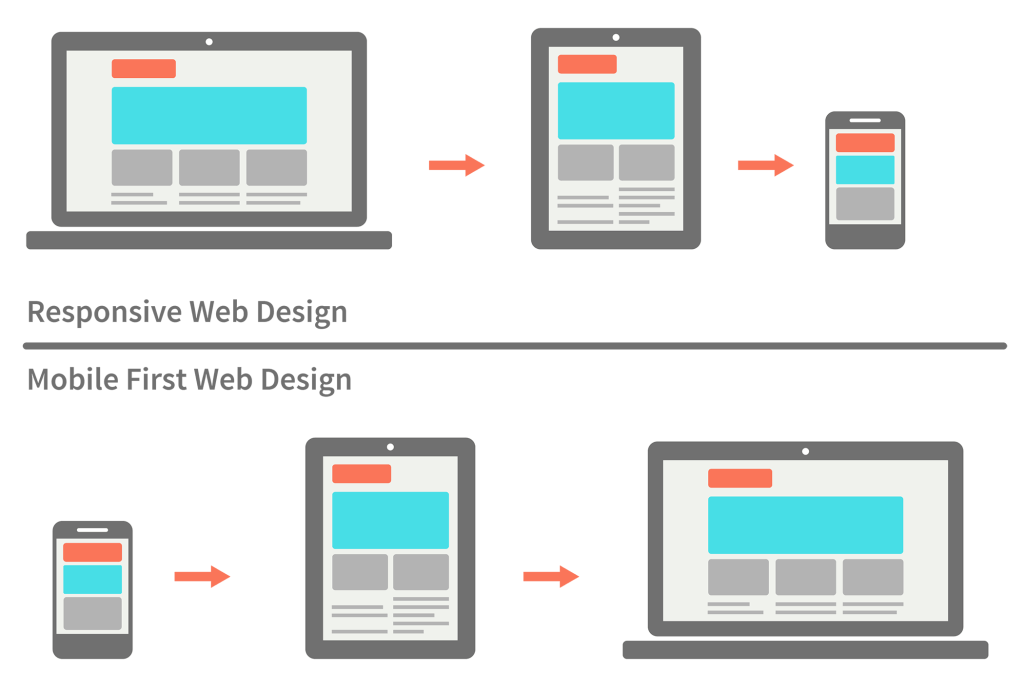
Mobile traffic dominates. Google uses mobile-first indexing, meaning it primarily looks at the mobile version of your site to determine ranking. If your design isn’t responsive or mobile-friendly, you’re handicapping yourself. Designing mobile first also forces you to prioritise clear navigation, legible text sizes (~16px minimum ideally) and tap-friendly elements. It’s both a UX and SEO win.
Use a Simple Website Architecture
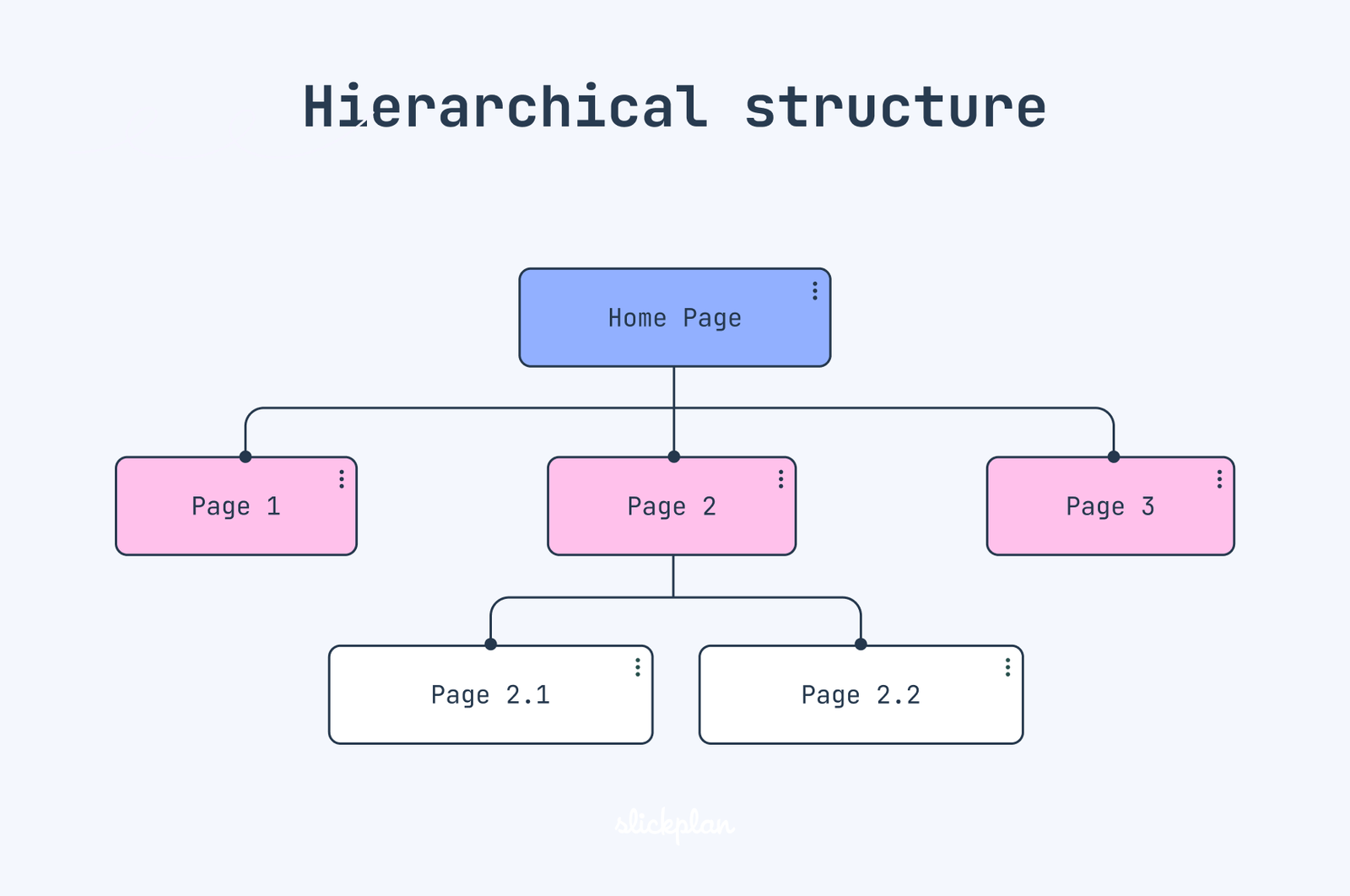
“Architecture” refers to how your pages link together, how deep the navigation goes, and how easily users (and crawlers) can reach all parts of your site. A tangled site where some pages require 5-6 clicks to reach will likely underperform. Aim for a shallow, logical hierarchy (homepage → category → subcategory → content). Use breadcrumb trails, clear menus, and minimise orphaned pages. That supports crawlability, index action and link equity distribution.
Improve Your Loading Speed (Core Web Vitals)
Load speed is no longer optional. Google’s Core Web Vitals emphasise metrics like LCP, FID and CLS—which measure loading speed, interactivity and visual stability. Slow or janky pages degrade both UX and SEO. Minimise heavy scripts, optimise images, lazy-load below-the-fold content, use efficient caching and deliver via CDN where possible. For your product pages (like protein powder launches) and content pages (for your consulting blogs), this is especially important.

Use Internal Links
Internal linking means linking between pages on your own domain. It helps users discover related content, reduces bounce rate and distributes link equity. For SEO, it’s a key signal for how your content is connected.
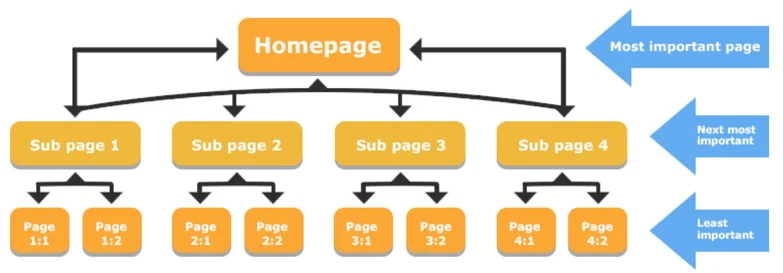
Make sure important pages are well-linked (especially from the homepage or primary menu) and use contextual anchor text rather than generic “click here” links. It ties into architecture and user journey.
Use HTTPS
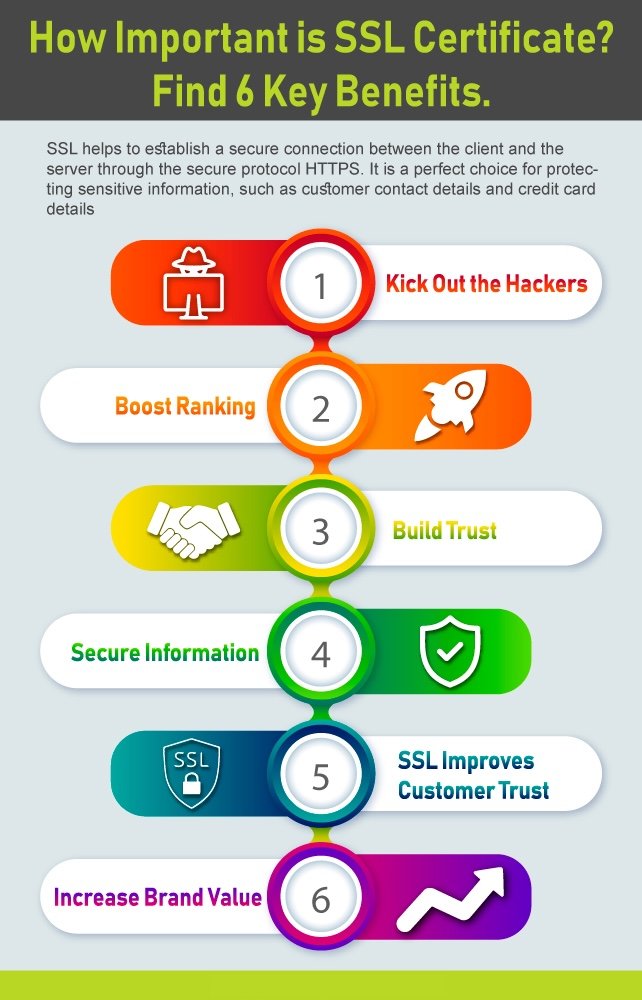
Security matters. Using HTTPS (SSL/TLS) is both a trust signal for users and a confirmed ranking factor for Google. If your site is still HTTP, you risk loss of ranking potential and user trust.
Make sure certificates are valid, pages redirect correctly from HTTP to HTTPS, and mixed content (http resources on https pages) is avoided.
Implement Schema Markup
Structured data (via schema.org) helps search engines understand what your content is (product, article, review, course, etc). That opens up opportunities for rich results (stars, price, FAQs) in SERPs.
For example, if you’re launching a product (“Bahu” protein powder) and you add Product schema (price, availability, review), you increase your chance of being featured more prominently in search results.
Optimize Your Images
Large, unoptimised images will slow down your site. Additionally, missing alt text reduces accessibility and prevents search engines from reading what the image is about.
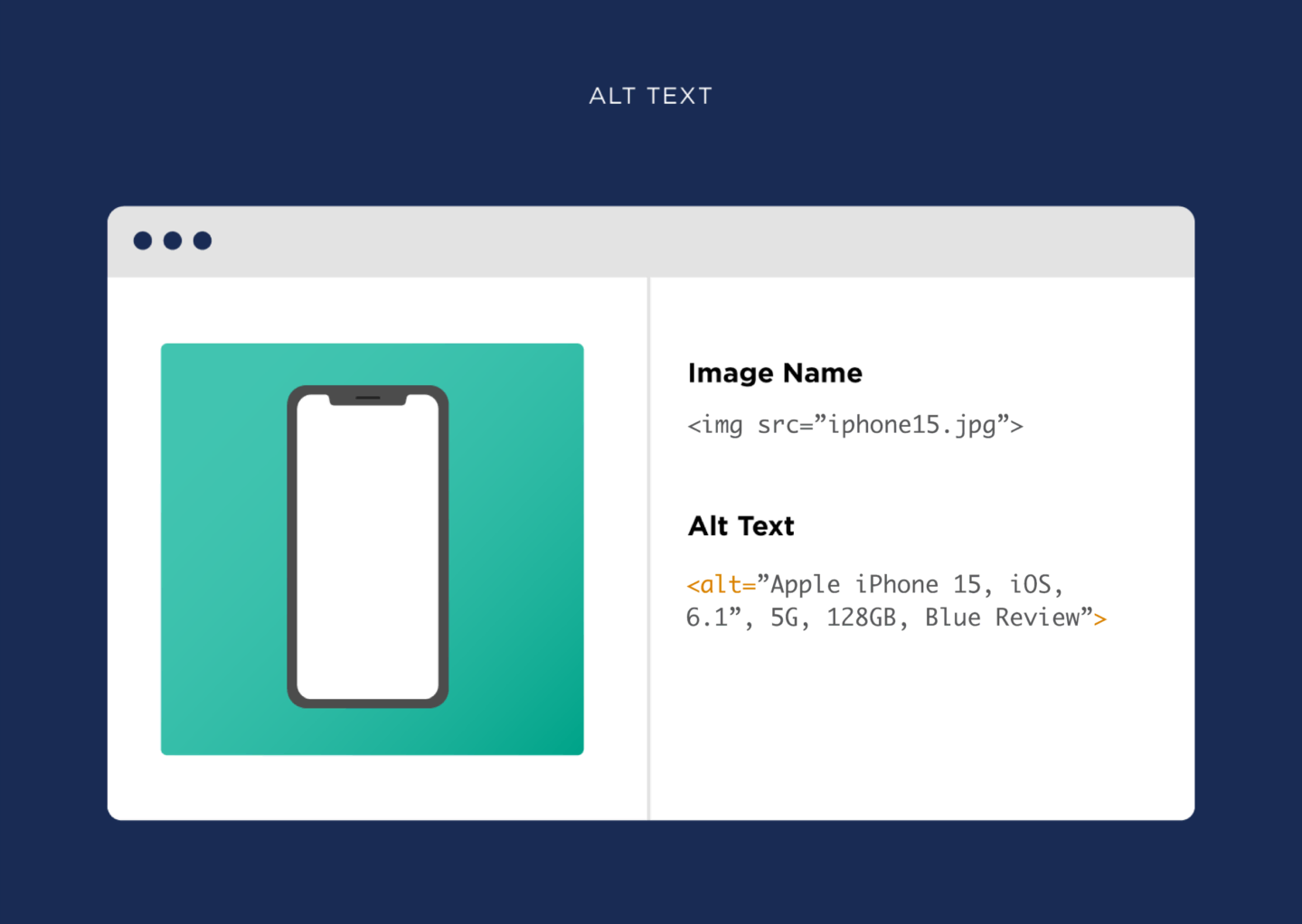
Best practices: compress images (WebP or modern formats), use correct dimensions, lazy-load where appropriate, write meaningful alt attributes, and provide image captions/context when needed.
Use Canonical Tags
If you have the same or very similar content accessible through multiple URLs (e.g., www and non-www, HTTP and HTTPS, session parameters, mobile vs desktop), a canonical tag tells search engines your preferred version. It prevents duplicate content issues.
Good housekeeping here helps maintain link equity and avoids confusing search engines or diluting ranking signals.
Simplify Your URL Structure
Clean, human-readable URLs are better for users and search engines alike. They improve clarity, trust and crawlability.
Avoid long query strings with numbers, session IDs, or irrelevant codes. Instead: yourdomain.com/protein-powder-premium is better than yourdomain.com/?p=1234&type=pp.
Provide an Awesome User Experience
Beyond technicalities, UX encompasses readability, navigation clarity, accessibility, mobile usability, and visual hierarchy. A visitor should immediately know where they are, what the site offers and how to get value. Poor UX = high bounce rates = weaker SEO signals.
Given your background (digital marketing, e-commerce, product launches), blending brand visuals with user-centric journeys will serve both your traffic goals and conversion goals.
Use Descriptive Titles
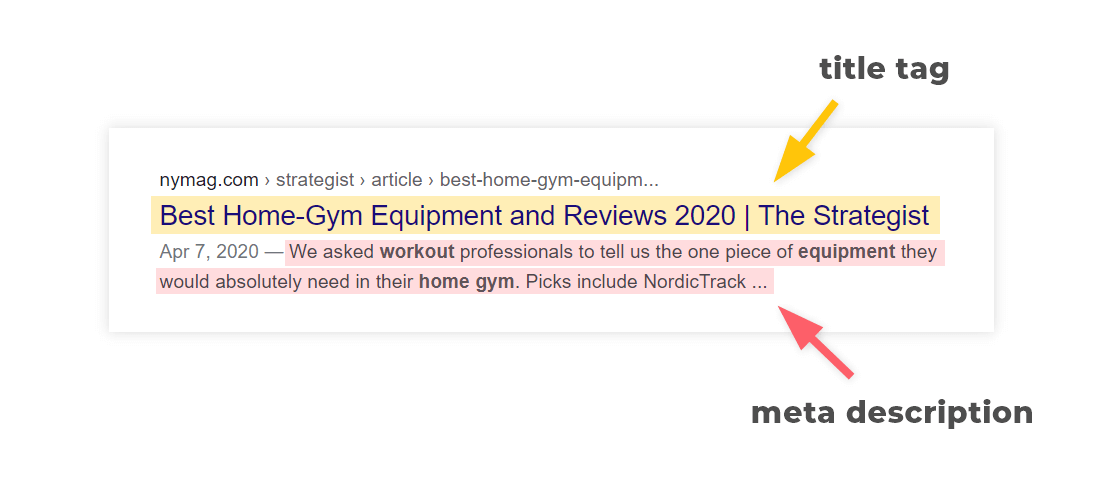
Title tags (and meta descriptions) remain foundational. They give context to search engines and users. A descriptive title with relevant keywords helps ranking and click-through rates. Glossing over this means losing visibility potential.
Ensure each page has a unique title (~50-60 characters), includes your focus keyword (naturally), and aligns with the content on the page.
Final Thoughts
Designing with SEO in mind isn’t optional—it’s vital. For someone with your ambitions (product launches, digital marketing agency, performance automation), making your websites and funnels SEO-friendly gives a structural advantage.
Here’s what I’d suggest as your move forward:
- Audit current websites: Check if they meet the practices above (mobile-first, speed, clean URLs, etc).
- Embed SEO in new builds: When you build your consulting site or e-commerce product pages, make SEO-friendly design a requirement from day one.
- Measure and iterate: Use tools like Google PageSpeed Insights, Search Console, and Analytics to identify improvement areas and keep refining.
- Blend brand + performance: Visuals and branding matter—but they should not compromise load speed, navigation or crawlability.