
Crawl budget is the amount of crawling time search engines allocate to your site, and optimizing it assures that your most important pages get located and indexed fast. For large or frequently updated websites, smart crawl budget management can be the difference between ranking and being completely hidden in search results.
What is the crawl budget?
In simple terms, crawl budget is the maximum number of URLs a search engine bot (like Googlebot) can and wants to crawl on your site within a given timeframe. Google defines it as a combination of the number of requests your site can handle (crawl rate limit) and the demand to crawl your URLs (crawl demand).
Crawl rate limit is about server health and performance: if your site slows or returns errors, bots automatically back off and crawl less. Crawling needs depend on how important and frequently updated your pages seem to be, so popular, fresh content usually gets crawled more often.
Why crawl budget matters for SEO
Search engines can only index pages they crawl, so if important URLs are not crawled, they cannot rank or bring you organic traffic. When crawl budget is wasted on low‑value or duplicate URLs, bots may ignore or delay crawling your strategic pages like product, category, or lead‑gen pages. Crawl budget becomes necessary for large, complex, or fast‑growing sites (e-commerce, media, SaaS knowledge bases) with thousands of URLs. It also matters when technical issues, endless URL parameters, or broken architecture make it hard for bots to efficiently navigate your content.
Best practice:
improve site speed
Fast, stable sites permit bots to crawl more pages without overstuffing the server, actually increasing your crawl rate limit. Slow response times or frequent 5xx errors send a signal to search engines to crawl less often, shrinking your effective crawl budget.
To improve speed for crawl and users, focus on:
- Compressing images and using modern formats like WebP, especially for banners, product photos, and blog visuals.
- Minimizing JavaScript and CSS, enabling caching, and using a quality CDN so pages respond quickly even under traffic.
You can illustrate improvements with before/after screenshots of performance tools like PageSpeed Insights or Lighthouse to visually show load time gains in your blog.
Use internal links
A strong internal linkinghttps://biztacs.com/internal-linking/ structure helps crawlers discover and prioritize important pages using the pathways created by your site navigation and in‑content links. Pages with many relevant internal links tend to be crawled more often because bots interpret them as more important within your site.
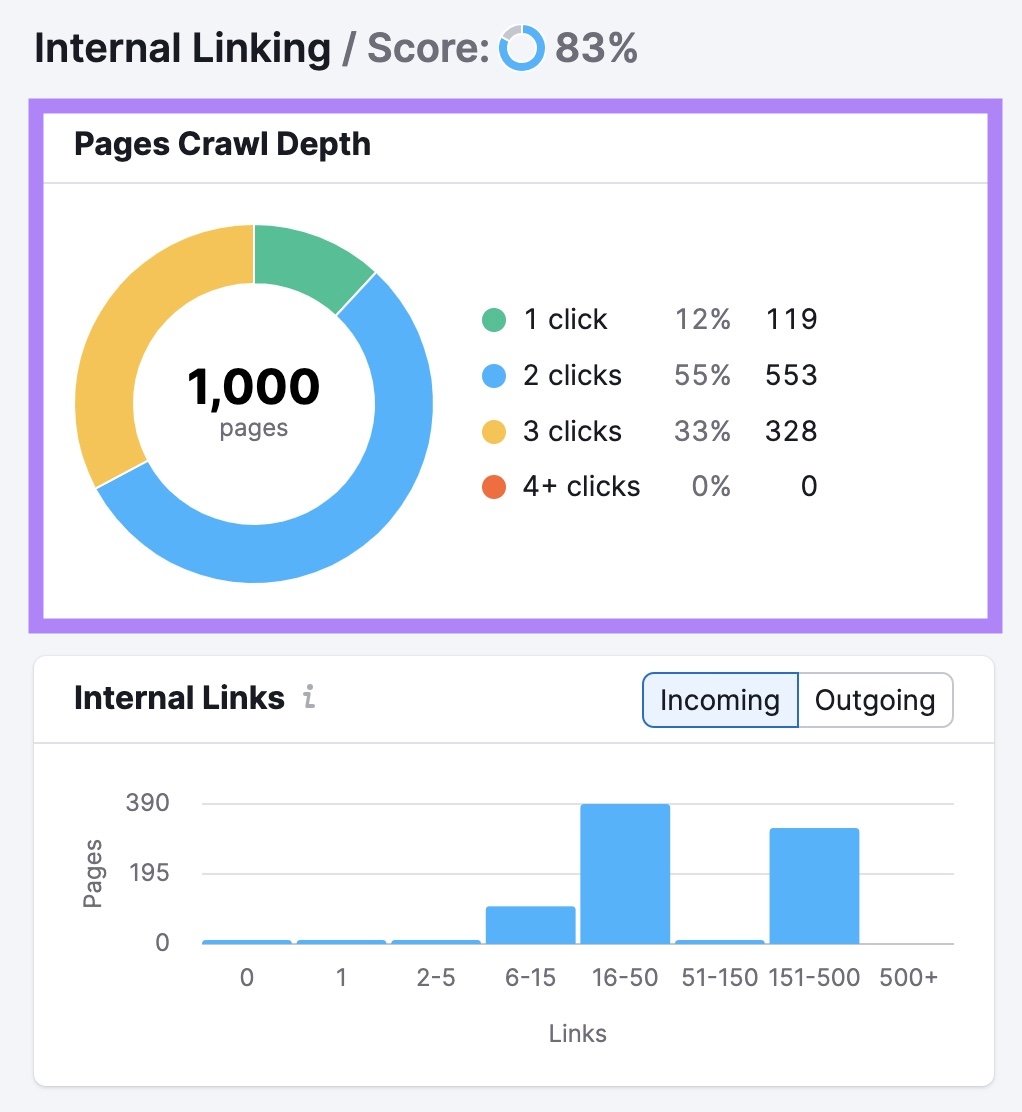
Actionable internal‑link tips:
- Link from high‑authority pages (like top blogs or category hubs) to key money pages to funnel crawl attention and PageRank.
- Use clear, descriptive anchor text so bots understand the topic and relevance of the destination page.
Diagrams showing a central “hub” page linking to supporting pages can be effective images for explaining good internal linking in your blog.
Flat website architecture
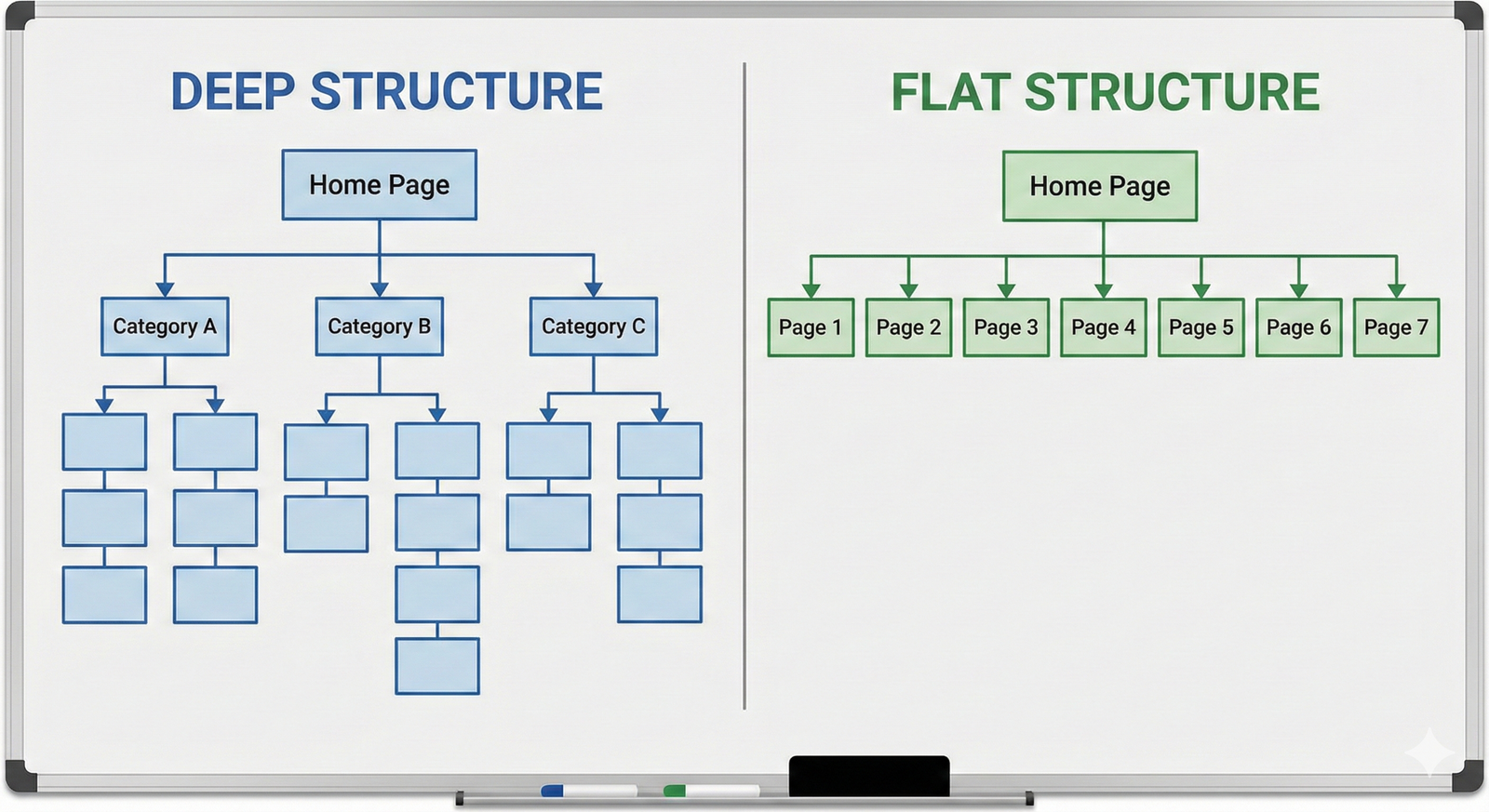
Flat architecture means most important pages are reachable within 2–3 clicks from the homepage instead of being buried deep in many subfolders or levels. This reduces crawl depth, so bots can reach and recrawl crucial URLs faster and more often.
Practical ways to flatten your structure:
- Keep category and subcategory hierarchies simple, avoiding long chains like /shop/category/subcategory/type/item.
- Use hub pages, mega menus, and contextual links to pull important content closer to the surface.
Avoid orphan pages
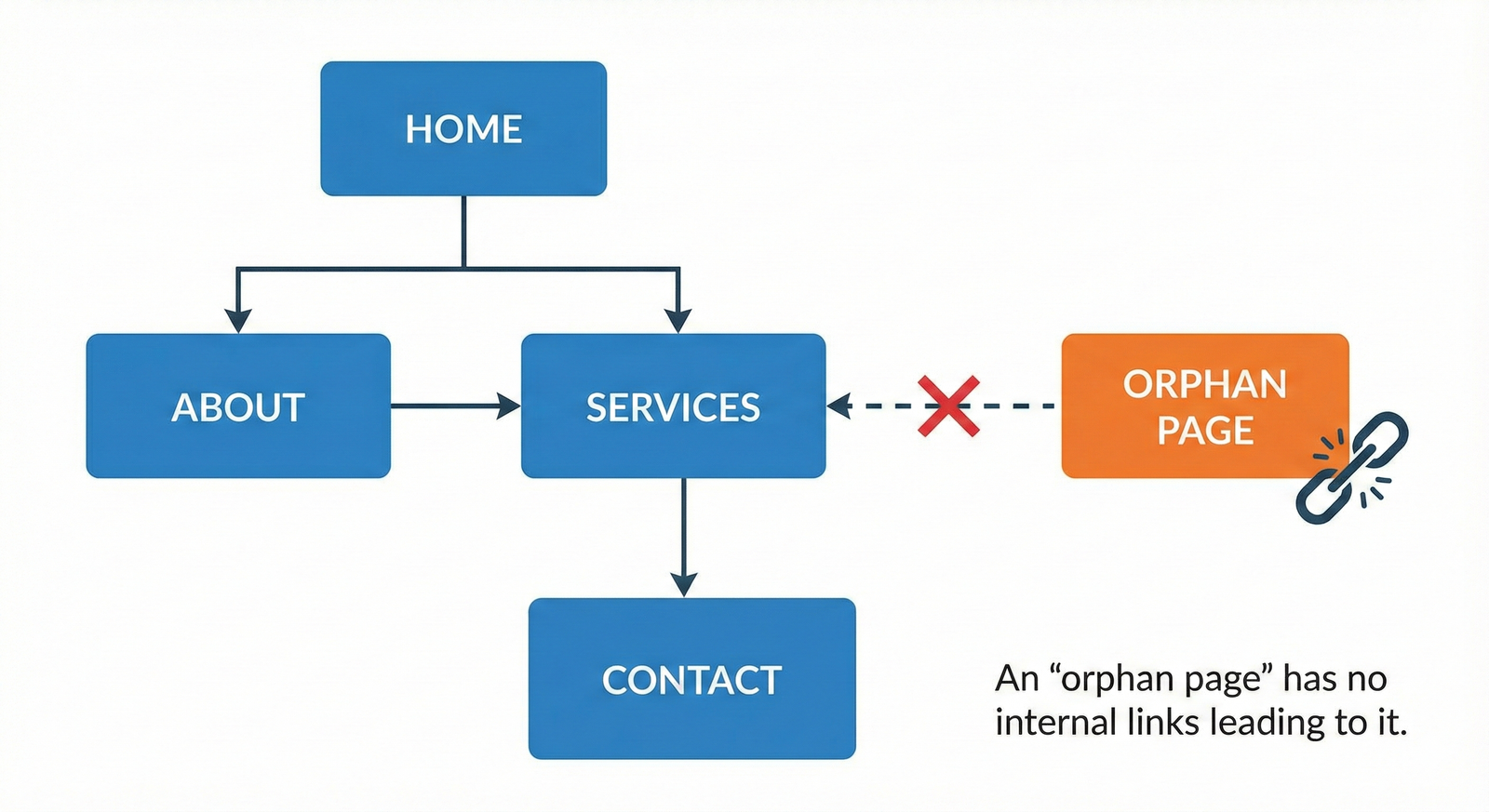
Orphan pages are URLs with no internal links pointing to them, making them hard or impossible for crawlers to find through normal navigation. Even if such pages exist in your CMS, they may be crawled rarely or not at all, which means they are unlikely to rank.
To eliminate orphans:
- Regularly compare your XML sitemap and analytics/logs to your internal link graph to identify pages that get no internal links.
- Either integrate valuable orphan content into your internal linking structure or deindex/redirect low‑value pages.
Limit duplicate content
Duplicate and near‑duplicate URLs waste crawl budget because bots spend time revisiting multiple versions of essentially the same page. Common culprits include faceted navigation, tracking parameters, printer‑friendly versions, and poorly handled HTTP/HTTPS or www/non‑www variants.
Key techniques to control duplicates:
- Use canonical tags to tell search engines which version of a page is primary, especially for filtered or sorted product listings.
- Handle URL parameters in tools like Google Search Console and use robots.txt or noindex wisely to block low‑value variants.
Learn more
Beyond the core tactics, ongoing crawl budget optimization relies on monitoring and maintenance. Use server log analysis and Google Search Console reports to see which URLs bots hit most, where they waste time, and which key pages are being missed.
For readers who want to go deeper, reference advanced guides and documentation from Google Search Central and established SEO platforms, while emphasizing respect for their intellectual property and encouraging direct reading of the original resources. In your blog, you can close with a short checklist summarizing the above practices and invite users to audit their site architecture, speed, and internal links with professional tools.