
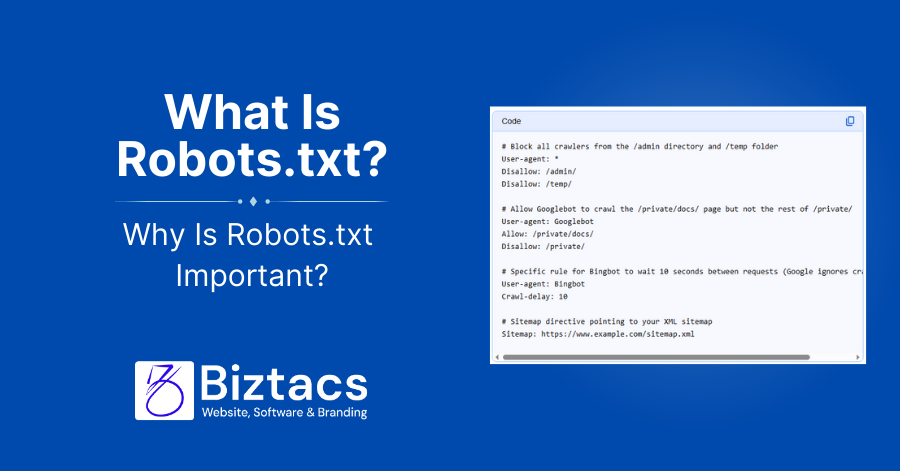
Robots.txt is a small text file placed at the root of your domain that tells search engine crawlers which areas of your site they are allowed to crawl and which they should avoid. Used correctly, it protects sensitive areas, focuses crawl budget on valuable pages, and supports your overall SEO strategy.
What is robots.txt?
A robots.txt file is part of the Robots Exclusion Protocol (REP), a web standard that gives site owners a way to control how automated bots access their content. It sits at https://yourdomain.com/robots.txt and contains simple directives (like User-agent, Allow, and Disallow) that different crawlers respect.
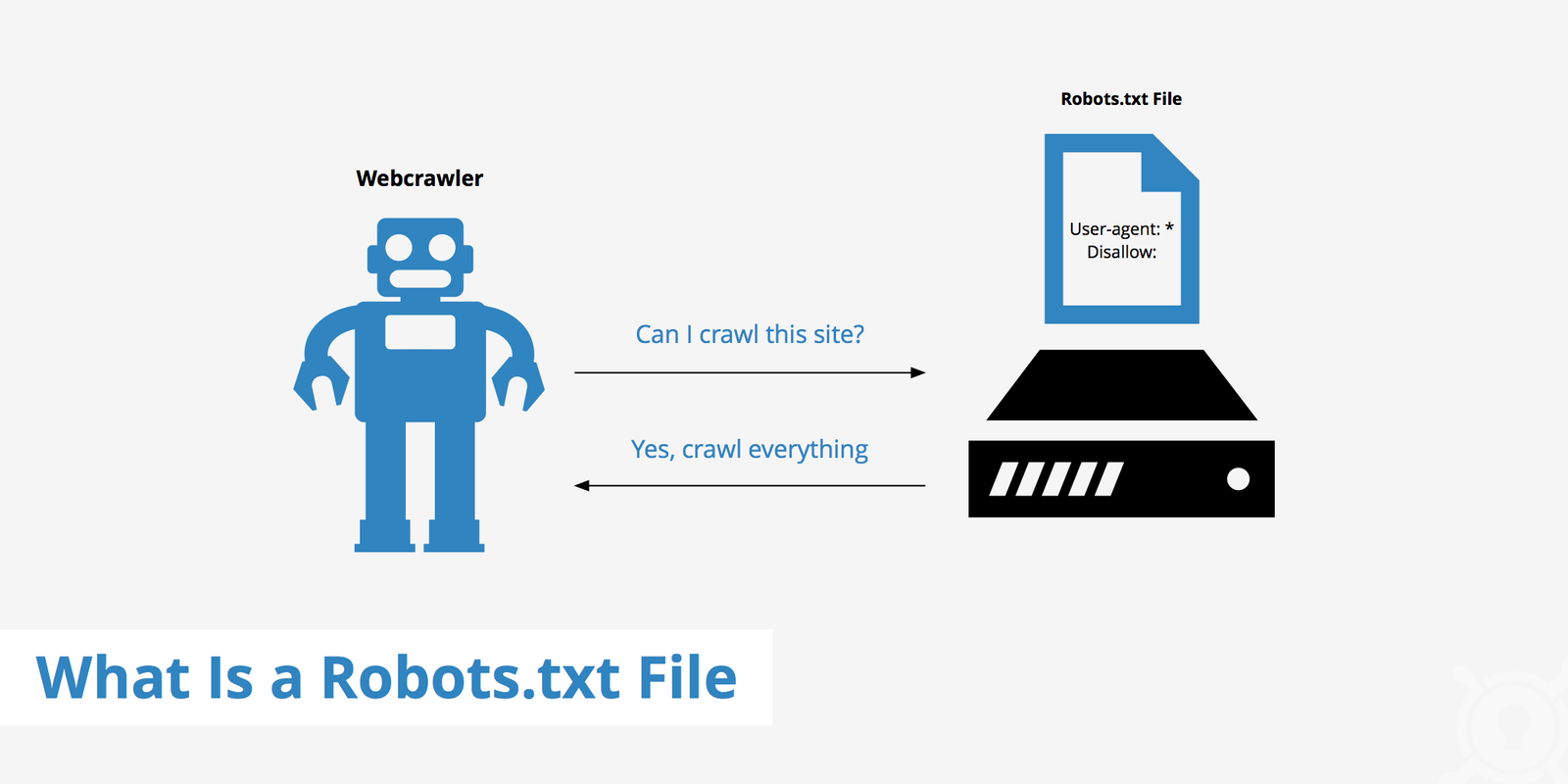
Search engines such as Google, Bing, and others typically request this file before crawling your site, then follow the rules to decide which URLs to fetch or skip. While most major crawlers honor Robots.txt, it is a convention, not a security feature, and malicious bots can ignore it.
Why is robots.txt important?
Robots.txt helps you guide crawlers away from low‑value or duplicate URLs so they spend more time on important content, which can improve how efficiently your site is indexed. This becomes critical for large sites with filters, faceted navigation, or auto‑generated URLs that could otherwise consume a lot of crawl budget.
It also supports SEO strategy by keeping staging areas, search results pages, and other non‑public sections out of crawler workflows while still allowing access to key landing pages. Combined with sitemaps and clean architecture, a good Robots.txt contributes to faster crawling and potentially better rankings.
Block non‑public pages
Non‑public or low‑value sections—such as admin areas, internal search pages, test environments, or bulk download paths—are common candidates for robots.txt blocking. For example, many sites disallow URLs like /admin/, /wp-admin/, or /internal-search/ so they are never crawled by compliant bots.
However, robots.txt only controls crawling, not whether a URL can appear in search results if it is linked elsewhere. To truly keep sensitive content out of search, you should protect it with authentication or use noindex via meta or HTTP headers rather than relying solely on Robots.txt.
Maximize crawl budget
Crawl budget is the combination of how many URLs a search engine is willing and able to crawl on your site within a given period. When bots waste requests on thin content, endless parameter combinations, or session IDs, important pages may be crawled less frequently.
By disallowing facets, filters, and other non‑essential URL patterns in robots.txt, you help Googlebot and other crawlers focus on core categories, products, and content hubs. This is especially useful for large e‑commerce sites where filtered result pages can generate near‑infinite URLs.
Prevent indexing of resources
Many sites use robots.txt to block crawling of resource directories like /cgi-bin/, log folders, or certain script and style paths that do not need independent search visibility. You can also prevent crawling of dynamically generated assets, feeds, or temporary files that might otherwise clutter crawl reports.
For modern SEO, though, blocking critical JavaScript or CSS that affects rendering can cause search engines to misinterpret your layout and content. The general recommendation is to allow essential JS/CSS so crawlers can fully render pages, and only disallow truly non‑essential resources.
Best practices: create a robots.txt file
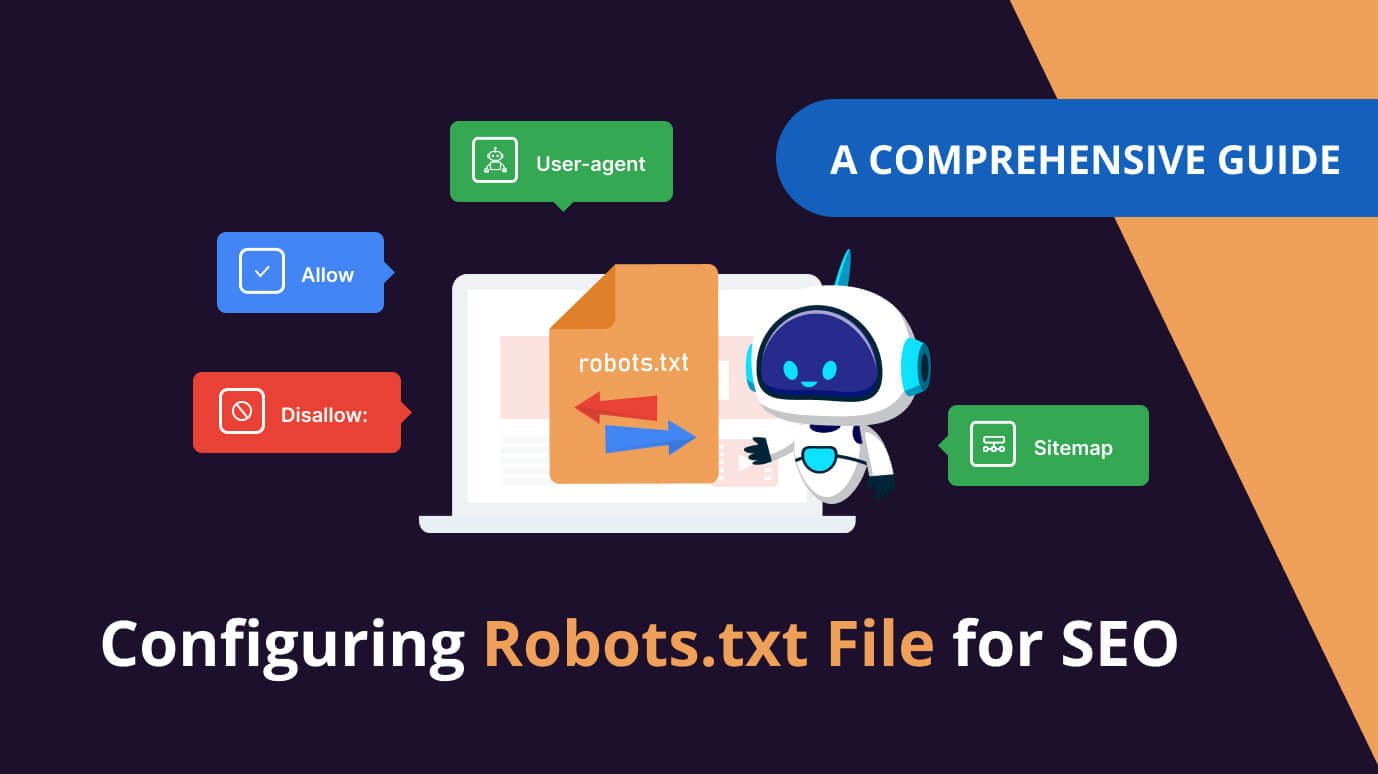
To create a Robots.txt file, use a plain text editor (like Notepad or TextEdit), add your directives, save it as robots.txt, and upload it to the root directory of your domain (e.g., /public_html/robots.txt). The basic structure looks like this (illustration only, not copied from any source):
- User-agent: * – which crawler the rules apply to
- Disallow: /path/ – which path that crawler should not access
- Allow: /path/ – any exception paths you explicitly permit

Large or complex sites often define separate sections for different bots (for example, a set of rules for Googlebot and another for all bots) while still keeping the file human‑readable. Always test new rules on a staging environment if possible so you do not accidentally block your entire site from crawling.
Make robots.txt easy to find
Search engines expect robots.txt at the root of each protocol and subdomain, like https://example.com/robots.txt or https://blog.example.com/robots.txt. If the file is missing or in a different location, crawlers will assume there are no special restrictions and can crawl everything they discover.
If your site uses multiple subdomains, each subdomain that is meant to be independently crawled should have its own robots.txt file. Ensure that your web server returns the file quickly and with a 200 status so crawlers can reliably read it.
Check for errors and mistakes
A single mistaken directive can accidentally block entire directories or even your whole website, so regular validation is essential. Common errors include forgetting a leading slash, misusing wildcards, or disallowing key folders like / or /products/ that should remain crawlable.
Use search engine tools (such as Google’s robots testing functionality) or third‑party crawlers to simulate how bots interpret your robots.txt rules. Review the file after platform migrations, URL structure changes, or new feature launches to ensure it still aligns with your SEO goals.
Robots.txt vs meta directives
Robots.txt gives crawling instructions—telling bots what they can or cannot fetch at the URL level or pattern level. Meta robots tags and X‑Robots‑Tag headers provide indexing instructions—telling bots whether a specific URL should be indexed, followed, or shown in search results.
Because robots.txt can stop crawling entirely, it is not suitable for pages that should be accessible but not indexed; those should use meta robots or X‑Robots‑Tag instead. In some strategies, both are used together: robots.txt to avoid crawling large URL sets, and meta directives to manage indexation of important but sensitive content.
Learn more (with image ideas)

To go deeper, refer to official documentation from Google Search Central, MDN’s security guidance, and specialized SEO tutorials that cover advanced syntax like wildcards, crawl‑delay, and sitemap declarations. Many of these resources also offer up‑to‑date examples tailored to modern JavaScript frameworks and large enterprise sites.
- A simple flowchart showing a bot requesting before crawling pages (you can design this as an SVG or PNG).
- A screenshot of a sample robots.txt file in a code editor with comments explaining each directive.