Search engine results pages are no longer just “10 blue links”—they’re packed with interactive features that can make or break your SEO and PPC performance.
What are SERP Features?
SERP features are any non-standard elements on a Google results page that go beyond the classic organic listing. They include things like Featured Snippets, People Also Ask, Local Packs, and AI Overviews.
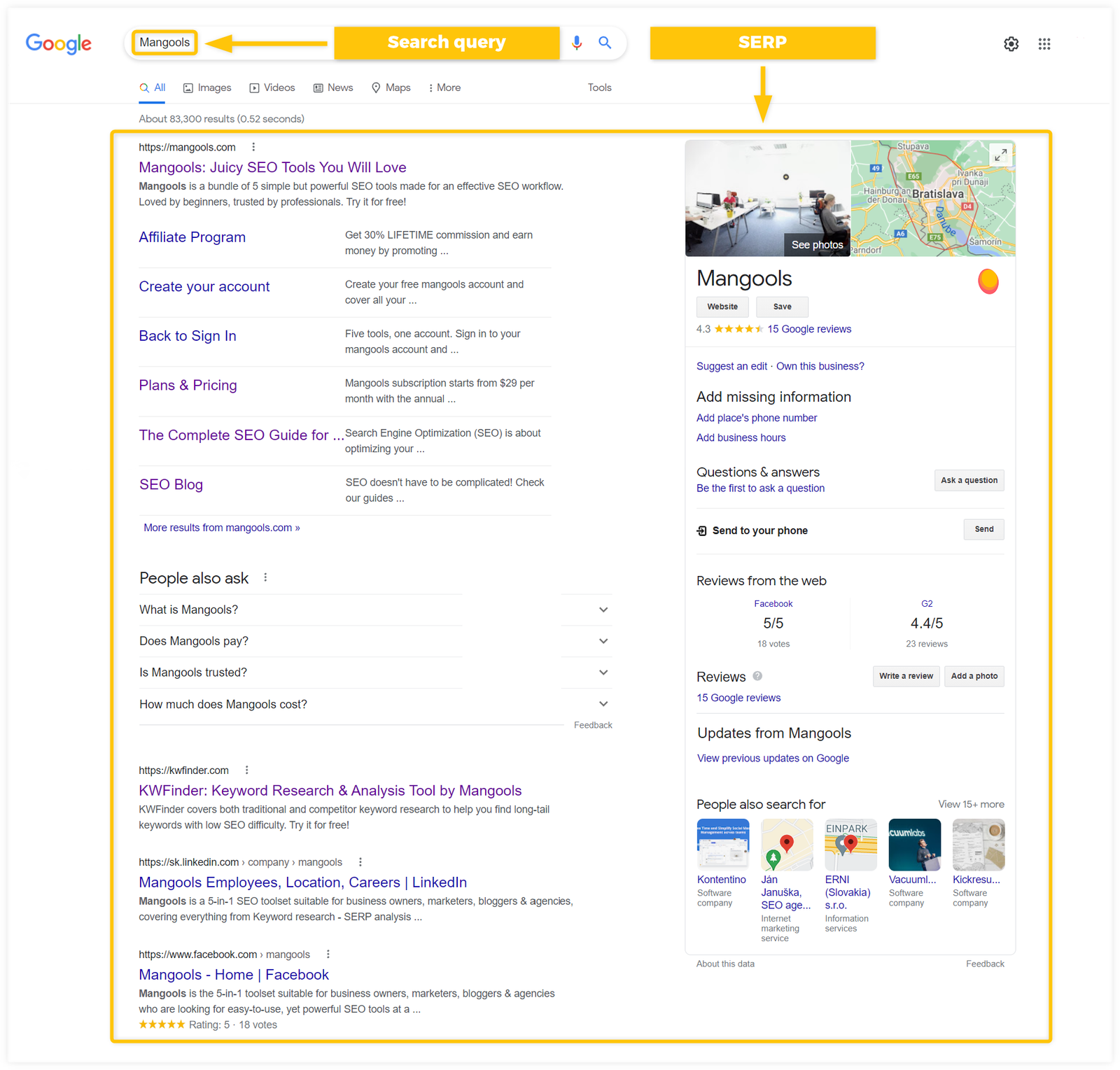
These features are designed to help users get answers faster, often directly on the results page without clicking through. For marketers, they change how visibility, clicks, and brand authority are distributed.
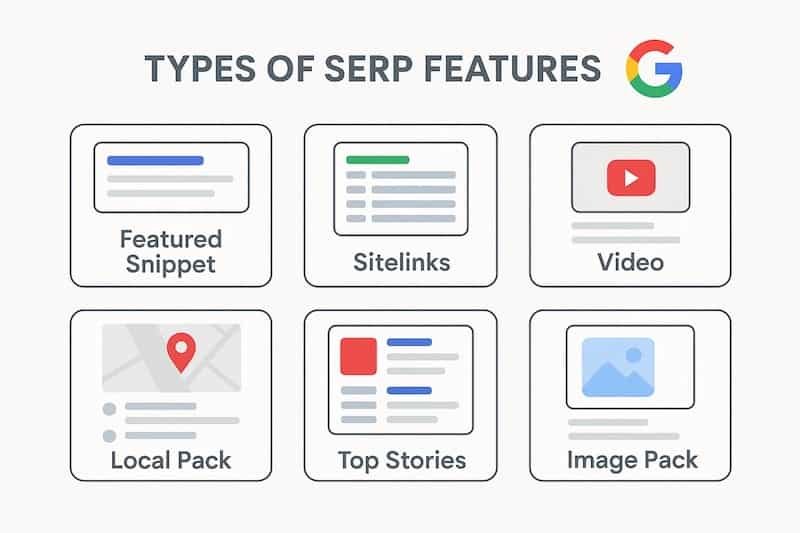
How Common are Google SERP Features?
Modern SERPs are dominated by features: one large study found that SERP features account for around 65% of overall visibility on a typical results page, especially on mobile. AI Overviews alone now appear for about 13% of Google searches based on early 2025 data, up from around 6.5% at the start of 2025.
At the same time, classic organic results still attract a strong share of clicks overall (around 28% CTR), but many of the highest-CTR positions are now specific features like Featured Snippets. This means you can’t think about “ranking” only as being in positions 1–10 anymore; you must plan which features you want to win for each keyword.
1. Featured Snippets (“Position Zero”)
Featured Snippets are answer boxes that appear above all organic results and show a short extract from a webpage that directly answers the query. They can appear as paragraphs, numbered or bulleted lists, or tables, depending on what best fits the question.
Research shows Featured Snippets can capture extremely high click-through rates, sometimes over 60% for certain queries, because they dominate the visual space and often answer exactly what the user asked. To target them, structure content with clear questions and concise answers in HTML paragraphs, lists, and tables and make sure the on-page answer is more precise and complete than competitors.
2. Top and Bottom Ads
Google Ads can appear at the very top and/or bottom of the SERP, usually marked with an “Ad” label. These paid listings often push organic results further down, especially on mobile.
Despite their prominence, click-through rates on ads are often modest (commonly in the 2–4% range), as many users still prefer organic results. However, for high-intent commercial queries like “buy,” “price,” or “near me,” top ads are crucial for immediate visibility and can complement your organic strategy by capturing ready-to-convert traffic.
3. Video Carousels
Video carousels show a horizontal row of video thumbnails, usually from YouTube and other platforms, for queries where visual or how‑to content works best. They are particularly common for tutorials, reviews, and product comparisons.
While individual video results may have CTRs in the low single digits, they tap into users who strongly prefer watching rather than reading, and they boost brand recall. To appear here, optimize videos with keyword-rich titles and descriptions, add chapters and structured data, and host on platforms Google frequently surfaces—especially YouTube.
4. Rich Snippets (Rich Results)
Rich Snippets are enhanced organic results that show extra data like star ratings, prices, FAQs, recipe details, or event info under the main listing. They use structured data markup (schema) to help Google understand the content and display it more prominently.
These enhancements don’t change your actual ranking position but can significantly boost CTR because your result looks more trustworthy and detailed than plain links. Implementing JSON‑LD schema for products, reviews, FAQs, recipes, and events is a practical way to win these eye-catching rich results.
5. Sitelinks
Sitelinks are additional internal links that appear below your main result, pointing to important sections like “Pricing,” “Contact,” or “Blog.” They tend to appear when Google sees strong brand authority and clear site architecture.
Sitelinks increase your real estate on the SERP and help users jump straight to what they need, improving CTR and user satisfaction. You can’t manually “turn them on,” but you can encourage them with logical navigation, clear headings, and a well-structured internal linking strategy.
6. People Also Ask (PAA) Boxes
People Also Ask boxes show expandable questions related to the original query, each with a short answer and a link to a source page. They’re a powerful discovery mechanism, letting users explore related topics without leaving the SERP Features.
Individual PAA entries typically get lower CTRs than Featured Snippets (often around 6%), which suggests users may skim answers in-SERP more than they click. Still, appearing in PAA is valuable for visibility and can create multiple touchpoints for your brand on a single SERP; optimize by answering common related questions concisely in dedicated sections or FAQs.
7. Local Packs
Local Packs (often a 3‑pack) show a map plus a set of local business listings, with names, ratings, addresses, and directions buttons. They dominate location-based queries like “dentist in Bhubaneswar” or “best cafes near me.”
For local businesses, appearing in this feature is often more valuable than ranking in standard organic results, because it captures high-intent, nearby searchers ready to visit or call. To earn Local Pack visibility, optimize and verify your Google Business Profile, keep NAP details consistent, gather reviews, and add relevant local keywords to your website.
8. Knowledge Panels
Knowledge Panels appear on the right-hand side on desktop (or near the top on mobile) and provide an at-a-glance summary for entities such as brands, people, places, or organizations. They often pull from the Knowledge Graph, Wikipedia, and trusted databases.
These panels usually have low CTR because many users get what they need without clicking through, but they strongly reinforce authority and brand recognition. To influence them, build consistent entity information across your site and profiles, claim any available “knowledge panel” profiles for your brand, and ensure structured data supports how Google understands you.
9. Image Packs
Image Packs are clusters of image results that appear as a horizontal row or block, often leading to Google Images when clicked. They appear frequently for visual and inspiration-based queries like “living room designs” or “travel Bhubaneswar.”
Even though image results often have modest CTRs, they are crucial for brands that rely on visuals—ecommerce, travel, food, fashion, and interior design. To show up, use descriptive file names, alt text, captions, and structured data, and host high-quality, original images that clearly match the query intent.
10. X (Twitter) Cards
X (formerly Twitter) cards on the SERP Features show recent posts, carousels, or profiles directly from the platform for newsworthy topics, brands, and personalities. They are especially visible around trending events, announcements, or controversies.
These cards can shift attention away from your website toward your social presence, but they also provide a fast way to control the narrative and showcase timely updates. To gain visibility here, maintain an active X profile, post about your niche topics, and make sure your brand’s name and handle are consistently used across channels.
11. Top Stories
Top Stories boxes surface news articles for queries with clear news or freshness intent, usually from recognized publishers. They may appear as a carousel of headlines with images and timestamps.
Ranking here can generate huge surges of short-term traffic when a topic is trending, especially on mobile where Top Stories often sit high on the page. To qualify, sites need strong news or topical authority, proper news/article structured data, fast loading pages, and consistent coverage of time-sensitive topics in their niche.
12. AI Overviews
AI Overviews are Google’s generative AI summaries that appear at the top of the SERP for many informational queries, combining information from multiple sources into a single synthesized answer. They began rolling out broadly in 2024 and expanded to over 100 countries and languages by late 2024 and 2025.
By early 2025, AI Overviews appeared for roughly 13% of all searches and that share has grown as Google refines the feature. For SEOs, the key is that AI Overviews often cite multiple websites in cards beneath the summary; if your content is authoritative, well-structured, and directly answers the query, you can be cited in the Overview and still attract qualified clicks even when users see an instant summary.
How to “Learn More” and Build a SERP Feature Strategy
To build a practical strategy, start by mapping which SERP features appear for your target keywords (Featured Snippets, Local Packs, AI Overviews, etc.), then decide which ones matter most for your goals—traffic, leads, or brand visibility. Next, align content formats and technical implementation: FAQs and concise answers for snippets and PAA, schema for rich results, video for carousels, and local optimization for packs.
Track performance by feature type—changes in CTR, visibility, and conversions—rather than only by average position, because different features redistribute attention across the page. As AI Overviews and other advanced elements continue to roll out, continuously update and strengthen your topical authority, E‑E‑A‑T (experience, expertise, authoritativeness, trustworthiness), and technical hygiene so that Google keeps selecting your site as a trusted source to feature.
