Bounce rate is a core engagement metric that tells you how many visitors land on a page and leave without meaningfully interacting, and in GA4 it now directly reflects how many sessions are “unengaged.” Understanding it—and optimizing it—can dramatically improve your SEO, conversions, and overall user experience.
What Is Bounce Rate?
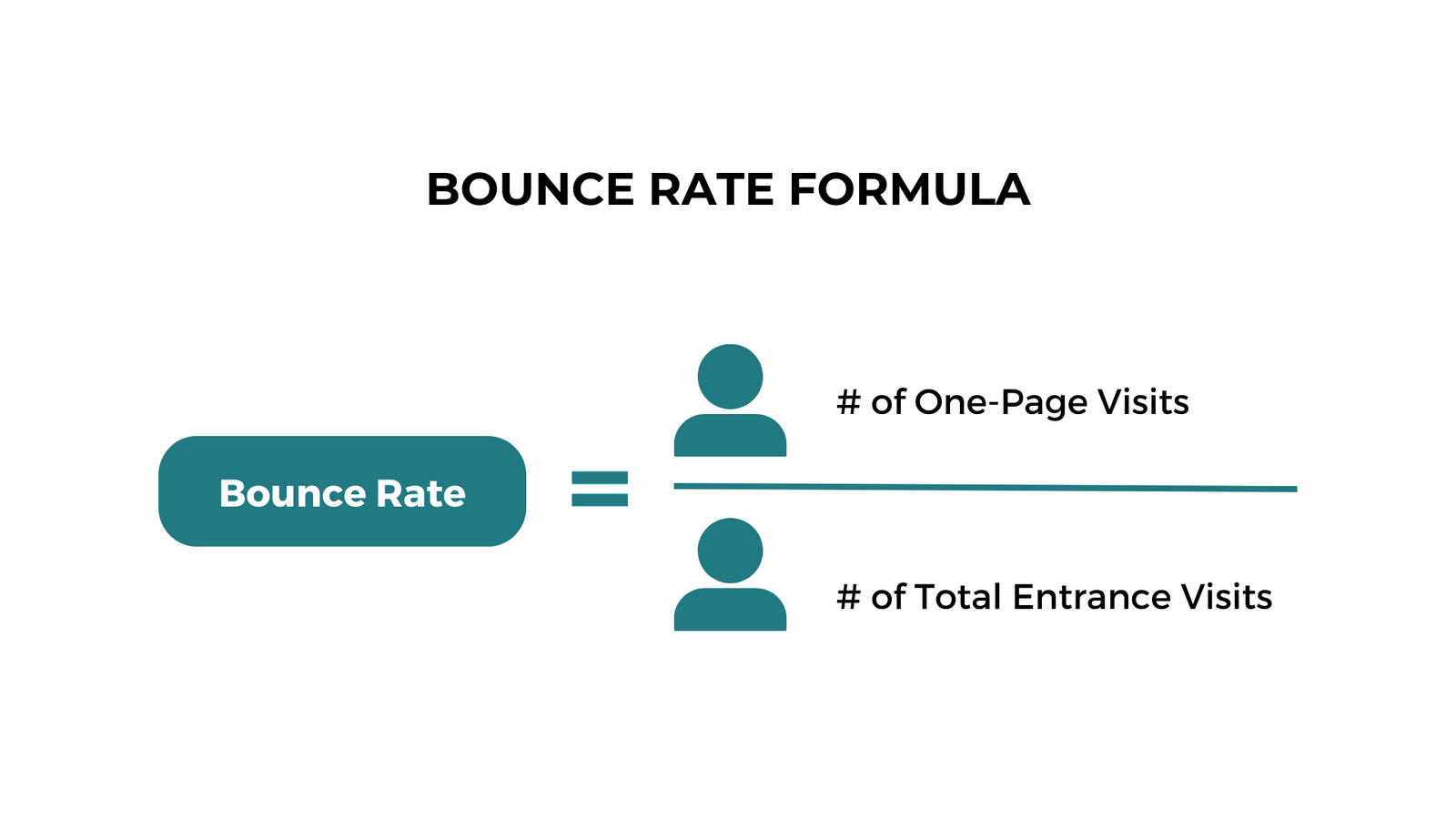
Bounce rate is the percentage of visits in which a user lands on a page and leaves without taking any further action or meaningfully engaging with the site. Traditionally, this meant single-page sessions with no additional clicks, events, or conversions before exit.
In most analytics tools, bounce rate is calculated as
Bounce Rate = (Bounces / Sessions) ×100.
A “bounce” is a session in which the visitor views the entry page only and does not trigger another pageview, goal, or ecommerce conversion.
What’s the “Average” Bounce Rate?
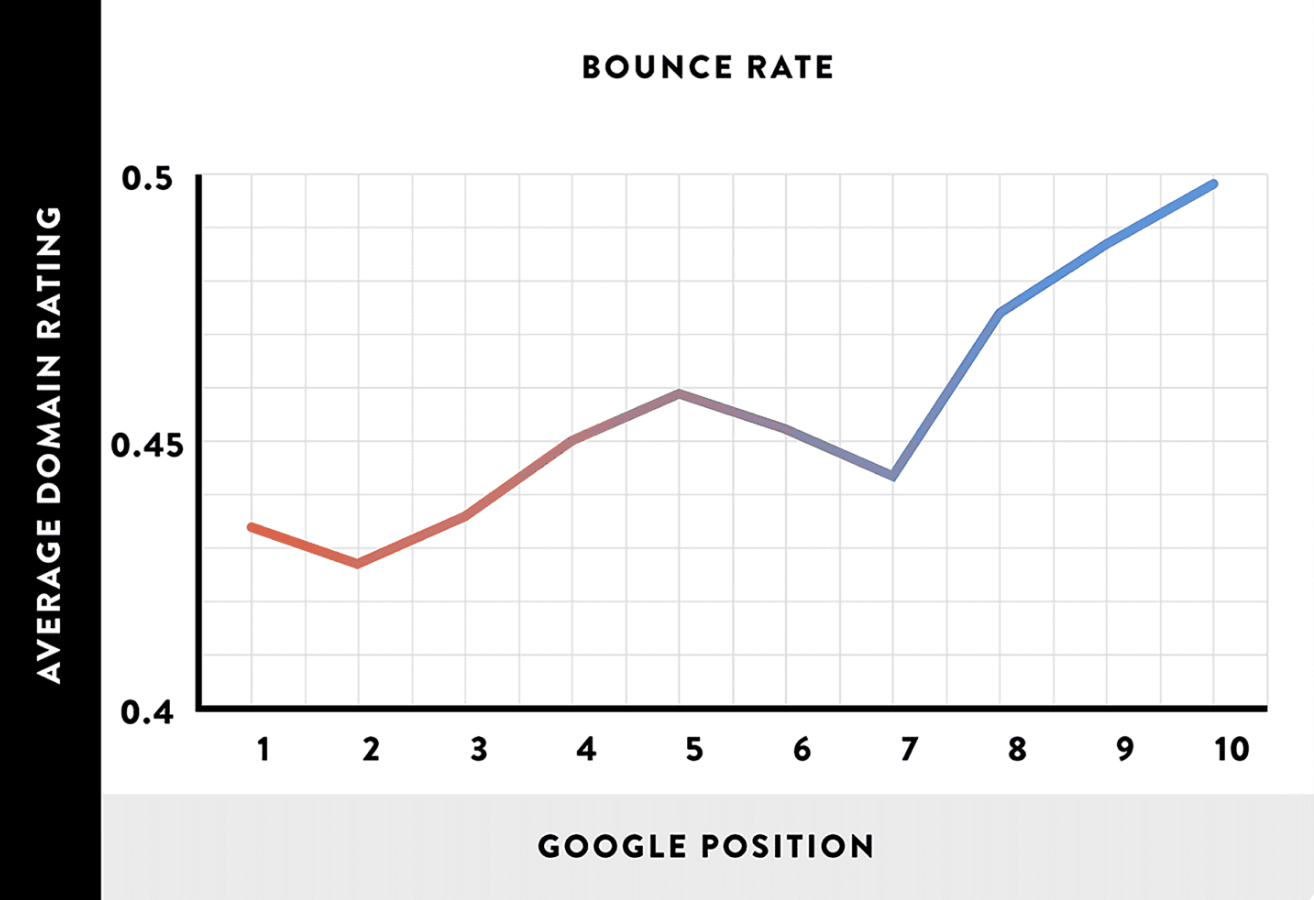
There is no single “good” bounce rate; benchmarks vary by industry, traffic source, and page type. Broadly, many datasets show that an overall bounce rate between about 26–40% is excellent, 41–55% is average, 56–70% is higher than average, and anything above that can be problematic depending on context.
Recent studies suggest overall medians in the mid‑40% range across industries, with large variation between verticals. For instance, ecommerce and marketplaces often see bounce rates around the high‑30% range, while content-heavy blogs can easily reach 70–90% because users often get their answer and leave.
How Bounce Rate Works in Google Analytics 4
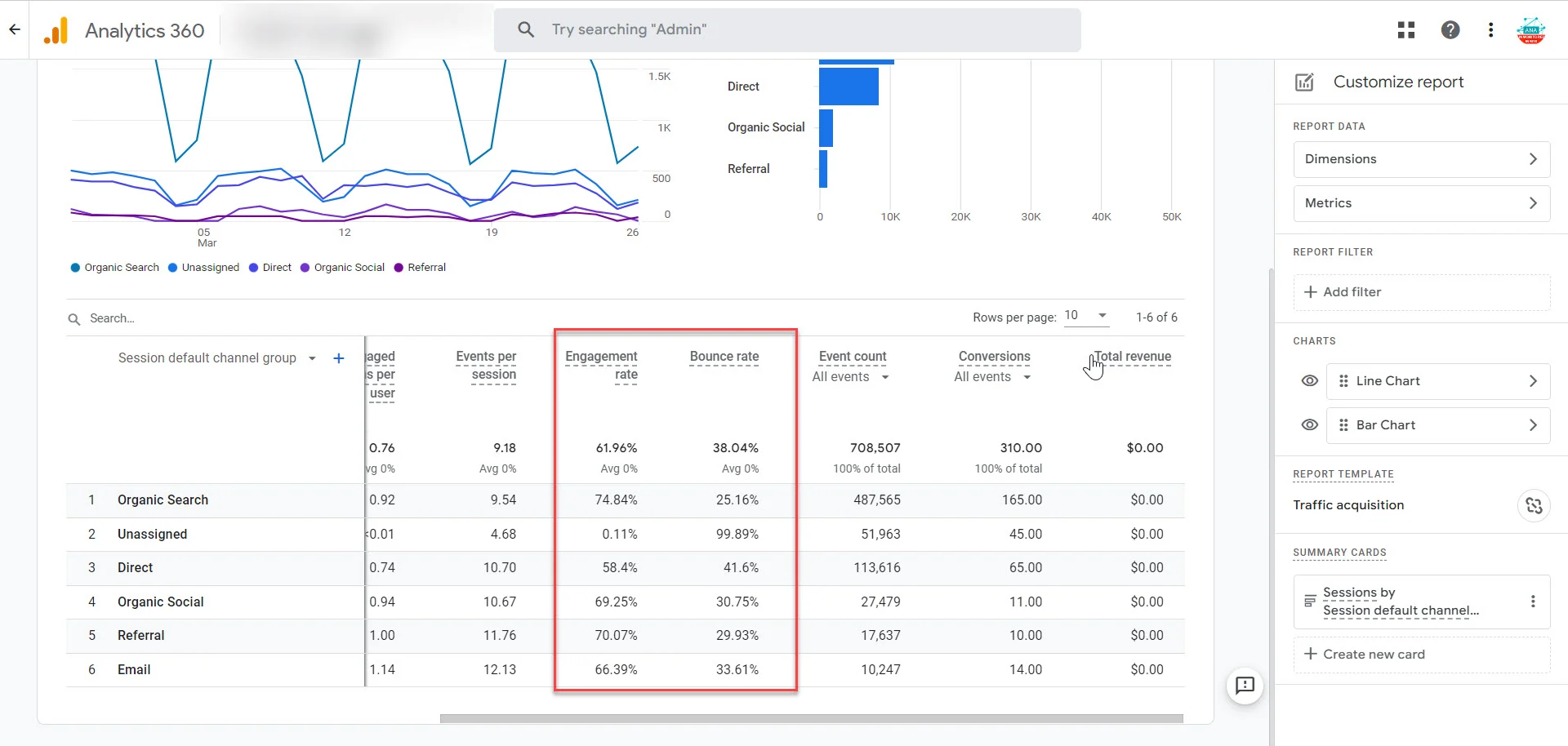
GA4 changed how bounce rate is defined and reported compared with Universal Analytics. Instead of focusing purely on single-page sessions, GA4 bounce rate is the percentage of sessions that are not “engaged.”
In GA4 a session is “engaged” if it meets at least one of these conditions:
- Lasts 10 seconds or longer
- Has 2 or more pageviews/screens
- Triggers at least one key (conversion) event
The GA4 formula is:
Bounce Rate=Unengaged Sessions / Total Sessions×100
Because engagement events now matter more, it is possible for a single-page session to not be counted as a bounce if the user spends time or triggers a key event.
Bounce Rate vs Exit Rate
Both bounce rate and exit rate describe visitors leaving a page, but they measure different behaviors. Understanding the distinction is critical when diagnosing issues on specific URLs.
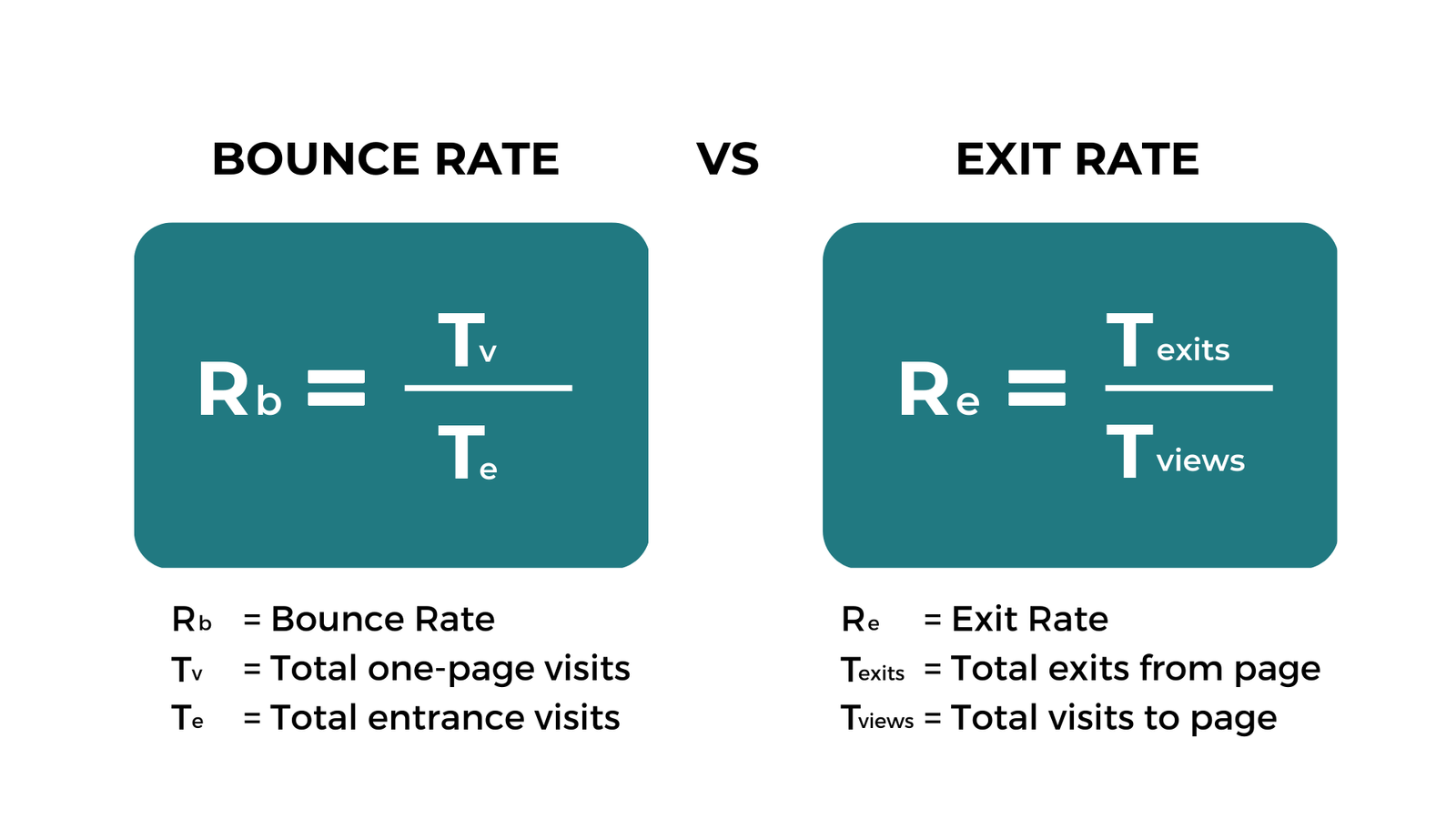
- Bounce rate: Percentage of sessions that start on a page and end there without further interaction; the page is both the entry and exit, and no engagement happens.
- Exit rate: Percentage of visits to a page that are the last interaction in the session, regardless of where the session started.
A useful rule: all bounces are exits, but not all exits are bounces. For example, if a user visits Page A, then Page B, and leaves from Page B, Page B has an exit but not a bounce, while Page A is neither a bounce nor an exit in that session.
Why Do People Bounce?
High bounce rates usually indicate a mismatch between user expectations and the experience on the page. Sometimes a bounce is neutral or even good (for example, when a visitor immediately finds a quick answer), but consistently high rates on key pages often signal a problem.
Common causes include:
- Slow loading pages that frustrate visitors before they see the content
- Poor mobile experience or difficult navigation
- Misleading titles or meta descriptions that don’t match on‑page content
- Thin, low-quality, or irrelevant content
- Intrusive ads or pop‑ups that interrupt reading
- Weak design, lack of trust signals, or no clear next step

How to Improve Your Bounce Rate
Below are practical tactics—aligned with your requested list—that help lower bounce rate by increasing engagement and satisfying intent.
1. Embed YouTube Videos On Your Page
Embedding relevant YouTube videos encourages visitors to stay longer and interact, which can turn unengaged sessions into engaged ones in GA4. Tutorials, product demos, and explainer videos often increase time on page and can even drive conversions directly from the content.
Place videos near the top for skimmers and again deeper in long content for committed readers, and make sure thumbnails and titles clearly match the topic.
2. Sprinkle In Bucket Brigades
“Bucket brigades” are short, conversational phrases that keep readers moving down the page, such as “Here’s the catch…” or “But there’s more.” These mini-hooks break up text and re-grab attention, reducing the chance that users skim a few lines and leave.
Use them to introduce key sections, transition between ideas, and tease upcoming value, especially in long-form content.
3. Boost Your Loading Speed
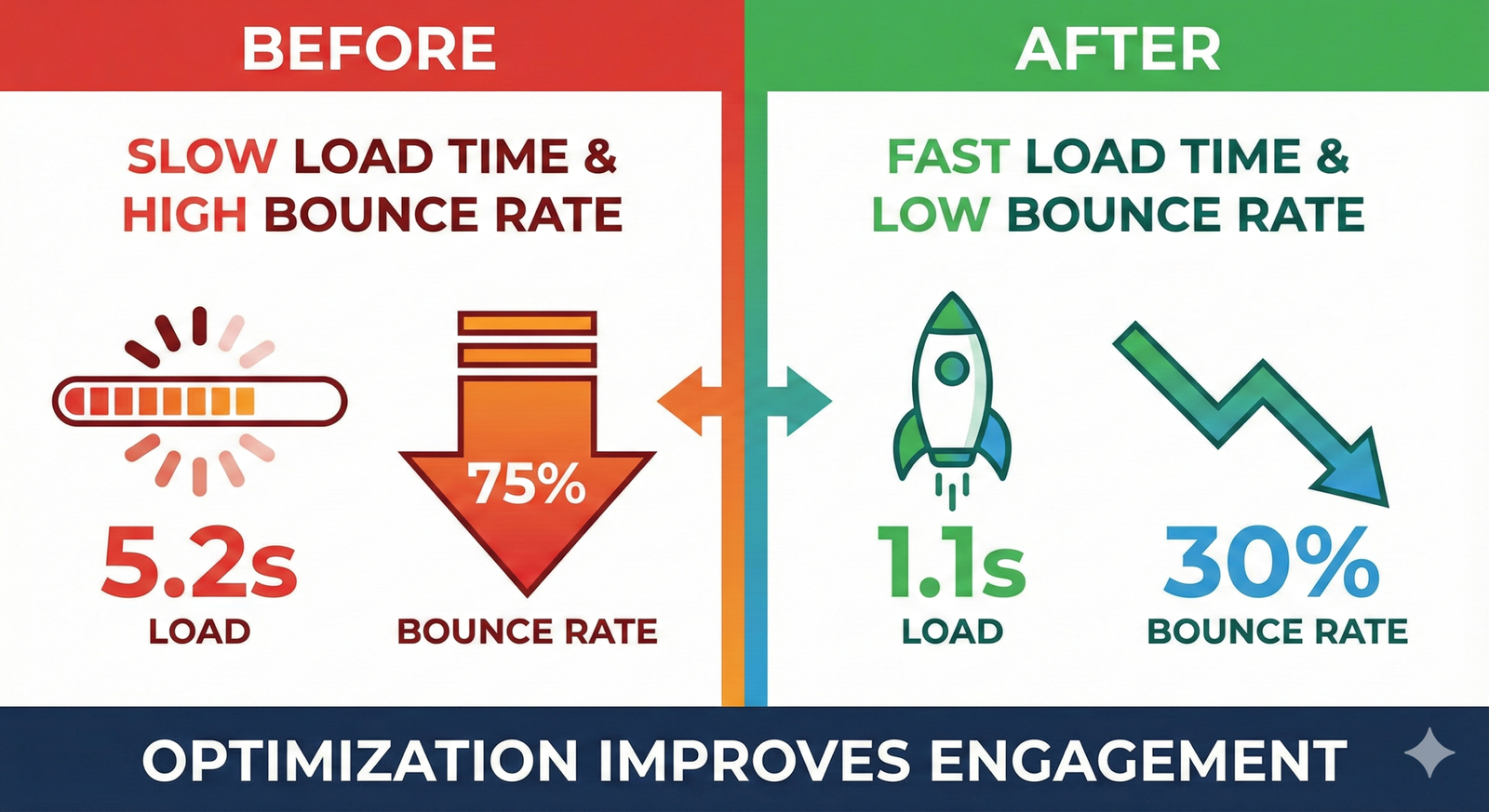
Page speed is one of the strongest technical drivers of bounce rate. Slow-to-load pages cause impatience; even a delay of a few seconds can dramatically increase the likelihood that users abandon the page before interacting.
Improve speed by compressing images, minimizing JavaScript, leveraging browser caching, and using tools like PageSpeed Insights or Lighthouse to identify bottlenecks.
4. Use The PPT Introduction Template
Think of your introduction like a concise PowerPoint opening: clear promise, preview, and transition. In a few short sentences, tell visitors what they will learn, why it matters, and how the content is structured.
Strong intros reduce pogo-sticking (users jumping back to search results) by confirming that the page matches the query and is worth reading.
5. Make Your Content Super Easy to Read
Readable content keeps users on the page and encourages scrolling, reducing bounces. Walls of text, tiny fonts, and poor spacing do the opposite, especially on mobile devices.
Improve readability by:
- Using short paragraphs and plenty of subheadings
- Adding bullet lists for multi-step ideas or features
- Using a legible font size and sufficient line spacing
6. Satisfy Search Intent
If your content does not match the intent behind the query, visitors will leave quickly—no matter how “good” the page looks. Search intent can be informational, transactional, commercial, or navigational, and each requires a different structure and level of depth.
Analyze top-ranking pages for your target keywords and align your content format (guide, comparison, product page, checklist, etc.) and CTAs with what searchers actually want to accomplish.
7. Turn Donkeys Into Unicorns
The “donkeys into unicorns” concept means identifying underperforming pages and transforming them into standout assets rather than creating endless new content. Focus optimization efforts on pages with high traffic but high bounce rates or low conversion rates for the biggest impact.
Use analytics to find those “donkey” pages, then upgrade them with better hooks, visuals, examples, and unique insights so they become “unicorns” that engage and convert.
8. Use Heatmap Data to Improve Key Landing Pages
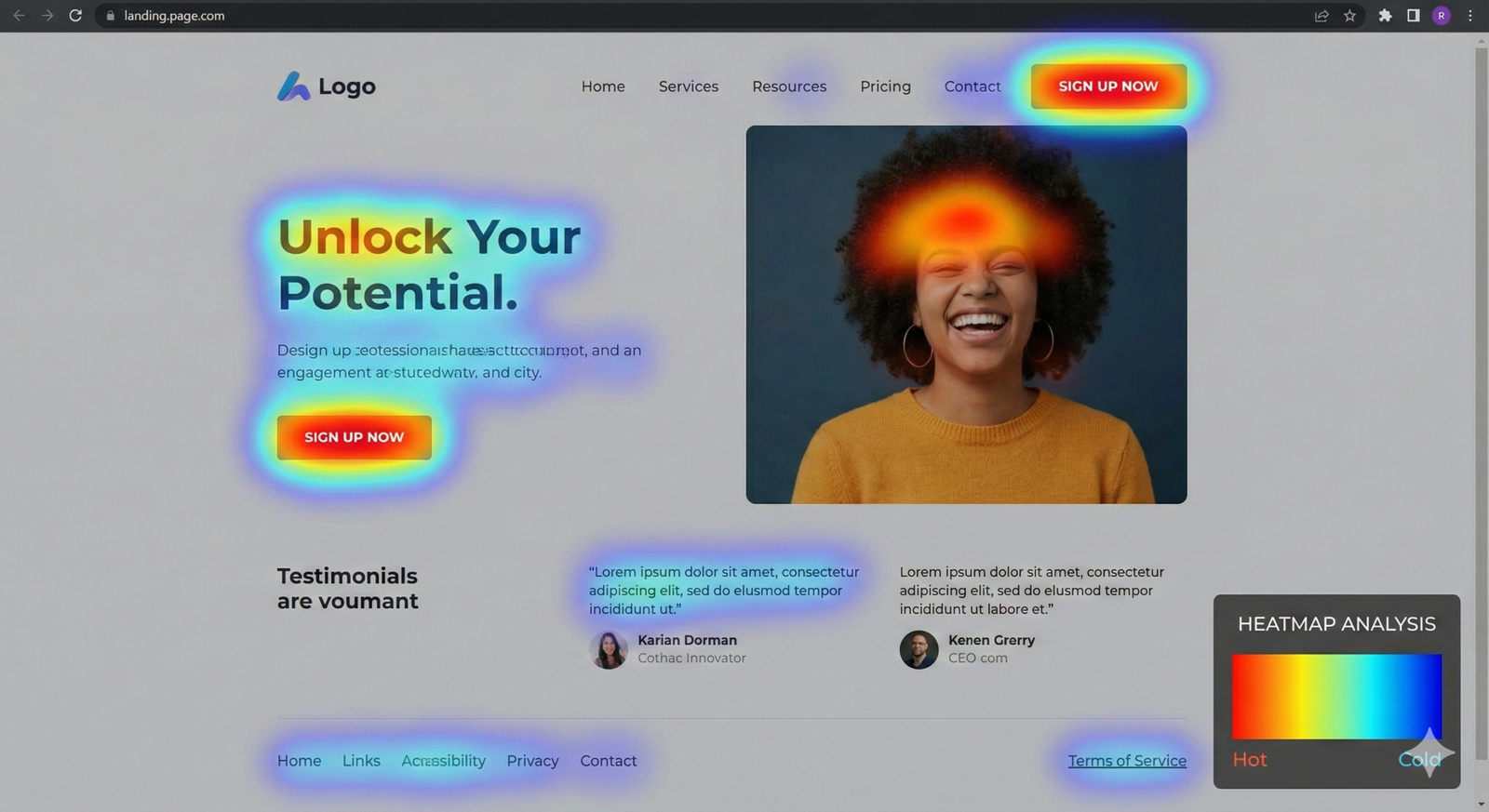
Heatmaps, scroll maps, and session recordings show how real users interact with your pages. These tools highlight where users stop scrolling, what they ignore, and which elements attract the most clicks.
Use this data to:
- Move important content and CTAs into high‑attention zones
- Remove or redesign distracting elements that cause early exits
- Restructure layouts so the most valuable information appears where users actually look
9. Add Internal Links to Your Page
Thoughtful internal linking gives visitors clear “next steps,” encouraging them to view additional pages instead of exiting. This naturally lowers bounce rate and helps distribute authority and traffic across your site.
Add contextual links within the body content, not only at the very end, and use descriptive anchor text that clarifies what users will find after clicking.
10. Impress Visitors With Amazing Design
First impressions matter: cluttered or outdated design undermines trust and pushes visitors away. Clean layouts, consistent branding, and visual hierarchy make it easier for users to orient themselves and decide to stay.
Include strong imagery, whitespace, and clear structure, and ensure important elements like headlines, CTAs, and navigation stand out visually.
11. Use a Table of Contents (With “Jumplinks”)
A clickable table of contents at the top of long articles helps users jump directly to the section that interests them most. This is particularly effective on long-form guides, where readers may not want to scroll through every heading to find their answer.
Jumplinks improve perceived usability and keep users on the page longer by letting them control their path, which can reduce bounces from impatient visitors.
12. Optimize Your Mobile UX
With a large share of traffic coming from mobile, poor mobile UX is one of the fastest ways to inflate bounce rate. Issues like tiny tap targets, overlapping elements, or horizontal scrolling frustrate users and lead to quick exits.
Adopt responsive design, prioritize vertical layouts, test forms and menus on multiple devices, and keep above‑the‑fold content lightweight and focused.
13. Link to Related Posts and Articles
Contextual “related content” modules keep engaged users exploring your site instead of returning to search results or closing the tab. This works especially well for blogs, knowledge bases, and media sites where users often want more depth or a different angle.
Place related links near the end of the article body and consider grouping them by topic or funnel stage to make choices more relevant.
14. Use Content Upgrades
A content upgrade is a targeted opt-in incentive directly related to the page topic, such as a checklist, template, or mini‑guide. Because it invites users to interact (e.g., click, download, subscribe), it can turn a passive visit into an engaged session and lead.
Examples include PDF versions of guides, swipe files, or bonus videos that extend the value of the on-page content. Besides reducing bounce rate, these upgrades also help grow your email list and nurture long-term relationships.
