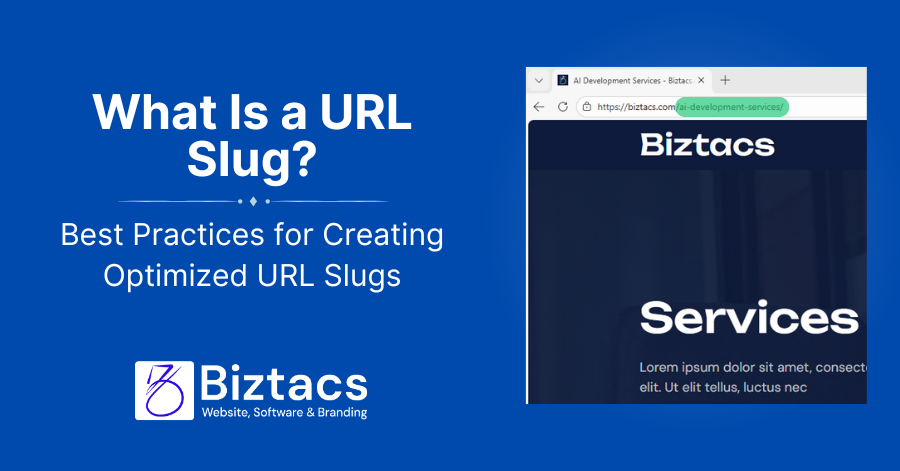
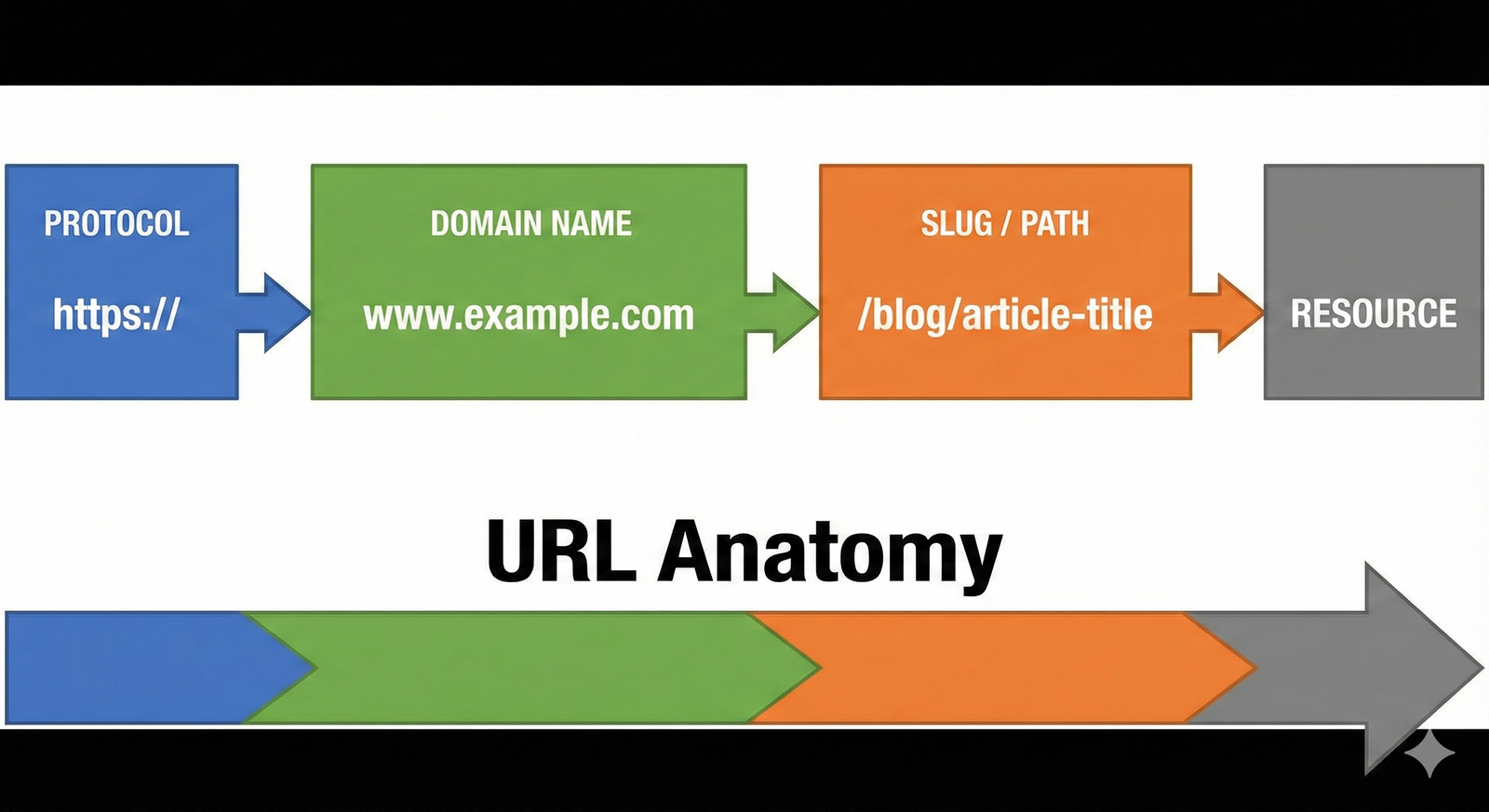
A URL slug is the part of a web address that comes after the domain name and identifies a specific page on your website. For example, in the URL.” www.example.com/blog-seo-tips” The slug is “blog-seo-tips”. This legible, user-friendly text helps both search engines and visitors understand what a page is about before they click on it.
Why Your URL Slugs Matter
URL slugs play a vital role in your website’s search engine optimization and user experience. Search engines like Google use URL slugs as a ranking factor to understand page content and choose relevancy to search queries. A well-crafted slug including relevant keywords helps search engines index your pages more accurately, potentially improving your rankings.
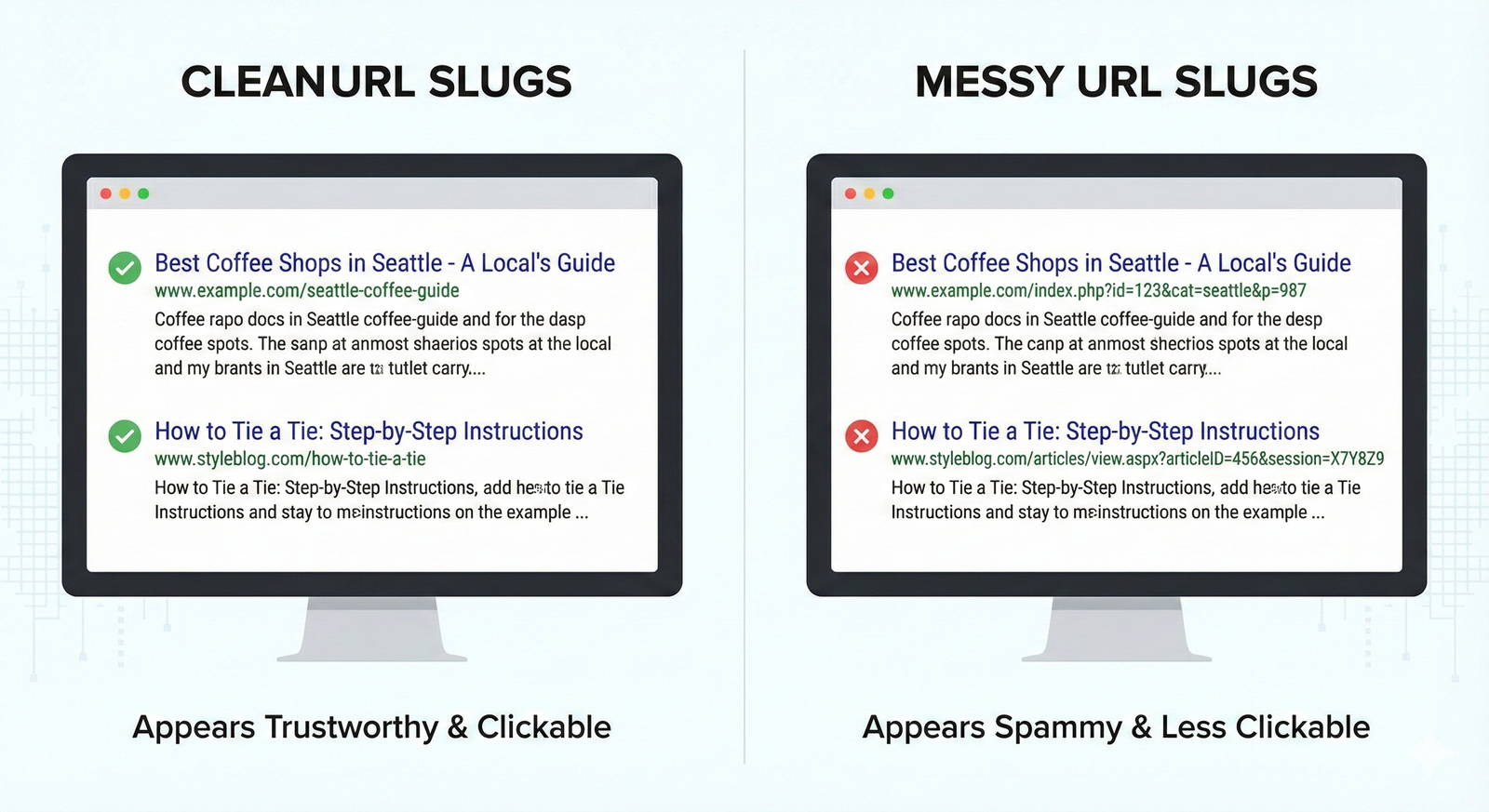
From a user viewpoint, defining URL slugs builds trust and increases click-through rates. When users see a clear, readable URL in search results, they can immediately decide if the page matches their search intent. Additionally, clean slugs are easier to share, remember, and type, making them more useful for both organic search and direct traffic.
Best Practices for Creating Optimized URL Slugs
1. Keep Them Short and Descriptive
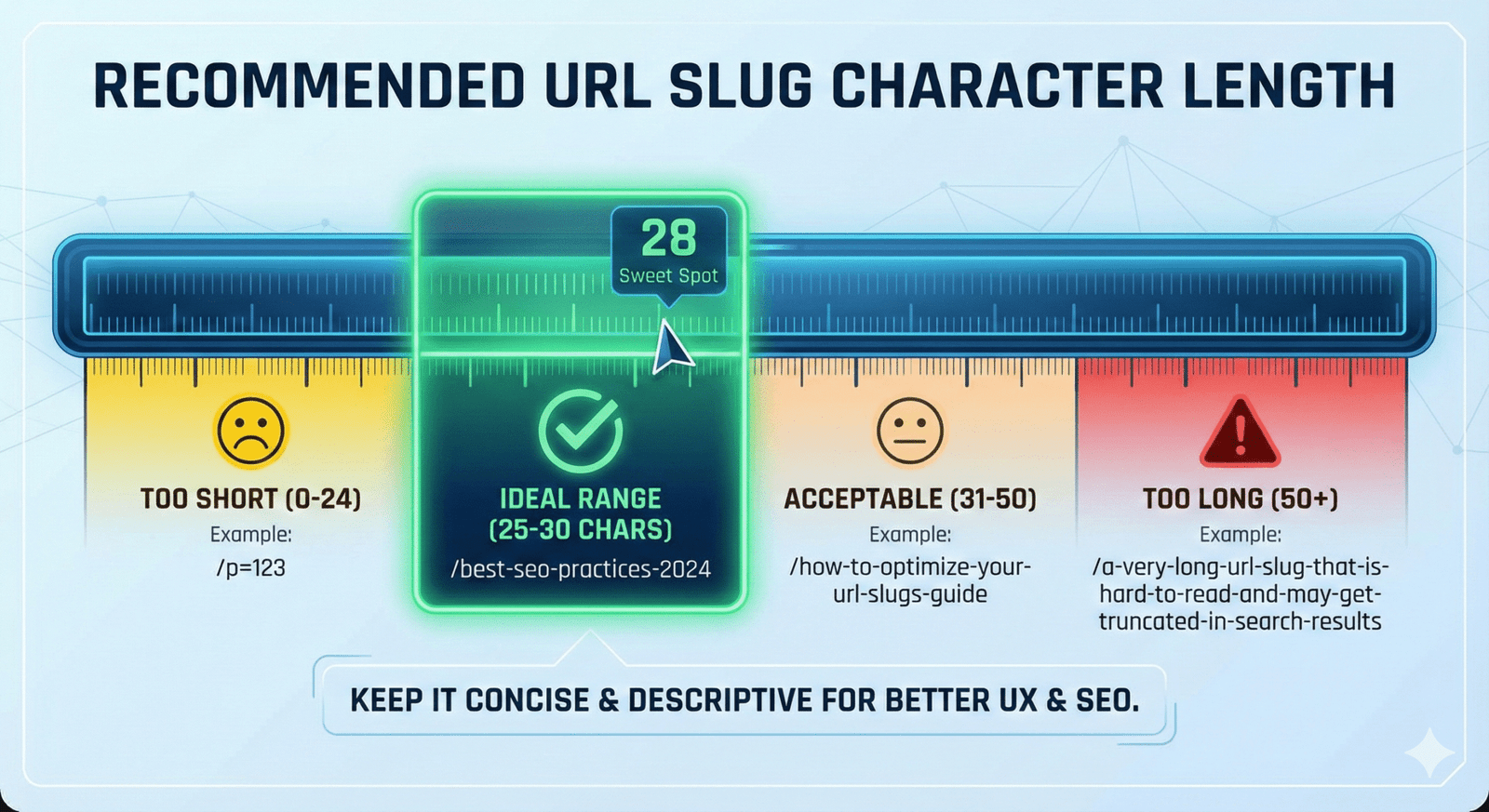
Shorter URL slugs perform better because they’re more comfortable for both users and search engines to read and understand. Google picks shorter URLs, and analysis shows that pages with brief slugs holding 3-5 meaningful words (approximately 25-30 characters) tend to rank a little higher. Instead of using “how-to-improve-your-seo-blog-performance,” opt for something simpler like “blog-seo-tips”.
2. Use Keywords
Including your target keyword in the URL slug is important for SEO optimization. The keyword should be appropriate to your page content and fit naturally into the slug structure. For example, if your target keyword is “SEO tips,” an effective URL slug would be “seo-tips” or “top-seo-tips”. This signals to search engines that your page is suitable for the query while helping users instantly understand the page’s topic. Yet, avoid keyword stuffing, which can make your content appear unnatural.
3. Avoid Special Characters and Capitalization
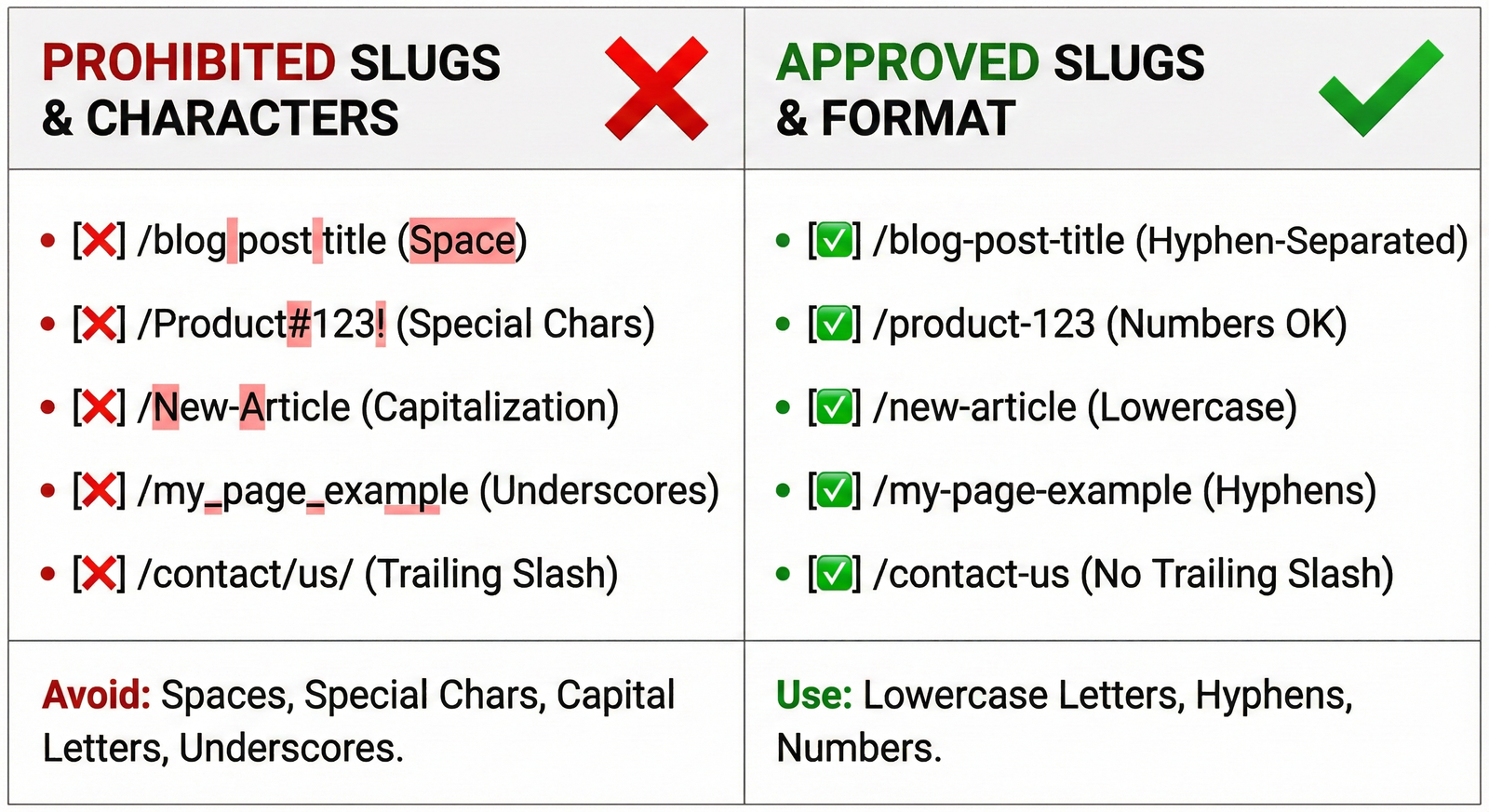
Always use lowercase letters in your URL slugs, even when using proper names or titles. URLs are case-sensitive, meaning “Taylor-Swift-albums” and “taylor-swift-albums” are treated as different pages, which can cause confusion and duplicate content issues. Additionally, avoid special characters like &, %, $, @, or ! that can cause technical problems. Stick to simple alphanumeric characters separated by hyphens for maximum compatibility and readability.
4. Use Hyphens, Not Underscores
When dividing words in your slug, always use hyphens (-) rather than underscores (_). Search engines identify hyphens as word separators, making “seo-friendly-urls” readable as three distinct words. Underscores, however, are not treated the same way by search engines and can lead to words being analyzed as a single term. This best practice improves indexing and readability for both search engines and users.
5. Remove Stop Words
One of the best practices for making SEO-friendly URL slugs is removing articles and stop words such as “and,” “or,” “of,” “to,” “for,” “the,” and “a”. While you might think removing these words compromises context, carefully structured URL slugs remain clear and meaningful without them. Ignoring stop words makes your URLs more readable, shorter, and easier to remember, which can generate more traction and engagement. For example, instead of “how-to-create-a-blog-post,” use “create-blog-post”.
6. Avoid Dates (and Sometimes Numbers)
Including dates in your URL slugs can make content appear outdated even if the information remains relevant. A URL like “seo-tips-2024” will seem old in future years, potentially reducing click-through rates. By removing dates, you future-proof your content and avoid the need to update URLs or create redirects. Similarly, avoid unnecessary numbers unless they’re essential to the content, such as in listicles like “10 SEO strategies,” where the number is part of the value proposition.
Examples of Good and Bad URL Slugs
Good URL Slug Example
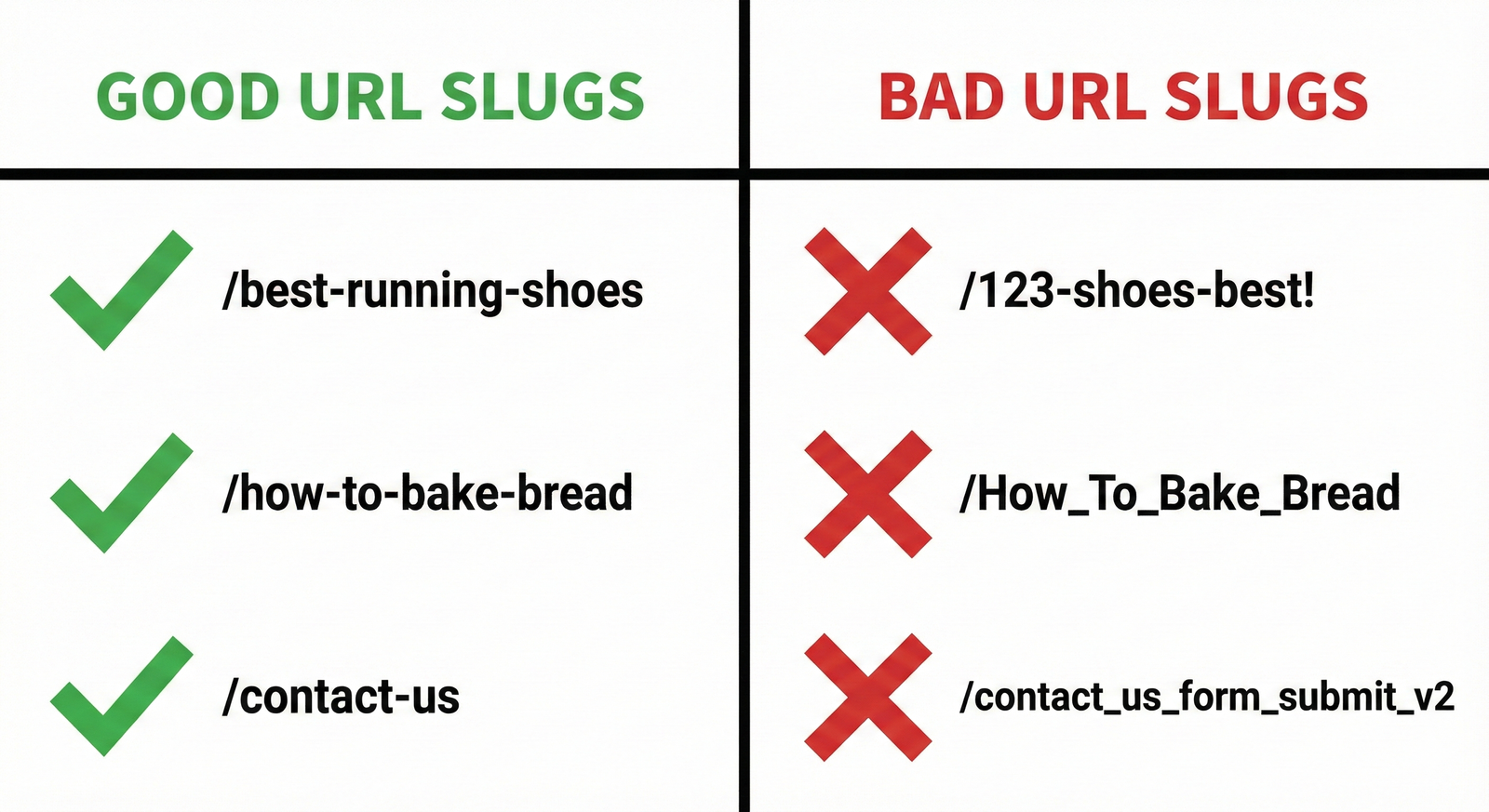
A well-optimized URL slug is short, descriptive, and keyword-rich. For example, “
” effectively communicates the page content in just two words. Another good example is.”
” which adds context about the content type while remaining concise. These slugs use lowercase letters, hyphens for separation, include relevant keywords, and avoid unnecessary words or characters.
Bad URL Slug Example
Poor URL slugs are often long, confusing, or use problematic formatting. Examples include “
,” which uses meaningless parameters instead of descriptive text, or “
www.example.com/Taylor-Swift-albums
” which incorrectly uses capitalization. Another bad example is “how-to-improve-your-seo-blog-performance,” which is unnecessarily long and includes stop words. These slugs fail to provide clear information and may hurt both user experience and SEO performance.
Tools for Optimizing Your URL Slugs
1. Yoast SEO
Yoast SEO is a popular WordPress plugin that helps optimize URL slugs as part of a comprehensive on-page SEO analysis. The tool provides real-time feedback on your slug structure, alerting you to issues like excessive length, missing keywords, or problematic characters. Yoast makes it easy to edit slugs directly from the post editor and offers suggestions for improvement based on SEO best practices.
2. Semrush
Semrush is a comprehensive SEO platform that helps with URL slug optimization through keyword research and site audit features. The tool allows you to identify target keywords that should be included in your slugs and analyze competitor URLs to understand what works in your niche. Semrush’s site audit functionality can flag URL structure issues across your entire website, helping you maintain consistency and best practices at scale.
3. Google Search Console
Google Search Console provides valuable insights into how your URLs perform in search results and helps identify optimization opportunities. The tool shows which pages are being indexed, how they appear in search results, and which queries trigger them. This data helps you understand if your URL slugs effectively communicate page content and whether adjustments could improve performance.
Optimize Your URL Slugs as Part of Your SEO Strategy
URL slug optimization should be integrated into your broader SEO strategy rather than treated as an isolated task. When creating new content, develop your URL slug alongside your title and meta description to ensure consistency across all on-page elements. This holistic approach ensures that your target keyword appears in strategic locations, reinforcing relevance signals to search engines.
Regular review and optimization of existing URL slugs can keep your site aligned with evolving SEO standards and user expectations. While changing URLs requires careful implementation of redirects to preserve link equity, updating problematic slugs on newer content can yield immediate benefits. Remember that URL slugs work in conjunction with quality content, internal linking, page speed, and other ranking factors to create a comprehensive SEO foundation. By consistently applying these best practices across your digital assets, you’ll improve search engine visibility, enhance user experience, and drive more targeted organic traffic to your website.
